We help you recover funds from Amazon's errors in wrong FBA fees, incorrect product dimensions, and inaccurate item weight assessments.

It's a struggle to juggle Amazon FBA cost structure, seller fees, cubiscans, FBA fee audit, and FBA fee reconciliation — especially when you're the underdog competing against larger brands on Amazon. We're like you, we get it.
This is how you should not identify Amazon's FBA fee calculation errors.
You go to Amazon Seller Central, export the FBA Fee Preview report and dump the CSV into a spreadsheet. Then for the few hours you try to make the comparison of the actual FBA fee to your expected FBA fee. You take the difference between the FBA Fee Preview and your calculated fee, multiplied by the number of shipped units in the last 30 days. You file the top 20 cases to remeasure and reweigh your product (aka cubiscan), thus submitting an Amazon Fee Adjustment Request. If this goes through, you submit for FBA overcharge refunds with Amazon seller support claims.
Here's what being correctly charged FBA fees with Hopted looks like.
Step 1. Hopted fits your work process.
Step 2. Amazon makes an error in your FBA fee.
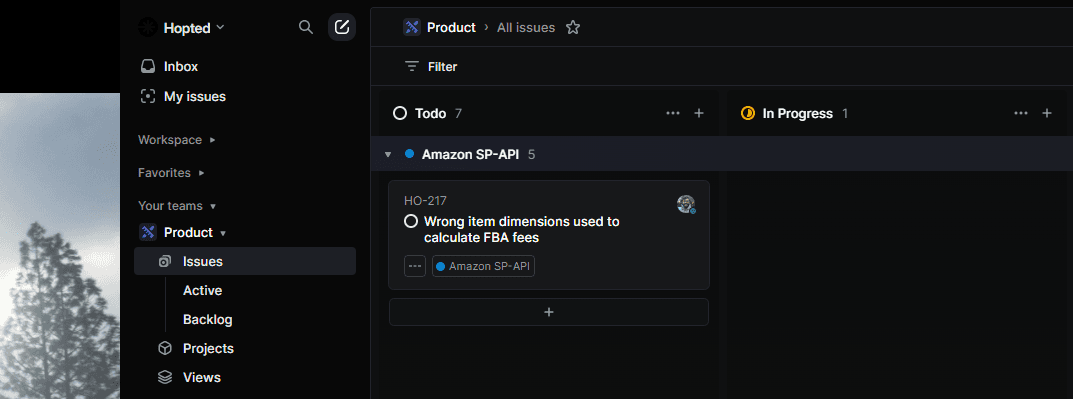
Step 3. Fix and reimburse.
Leave the grind behind.
Fees that can go wrong.
Trusted every day by modern Amazon teams





How Hopted works.
Take the next step.
Work with Amazon data in Google Sheets — without manual exports.
