All use cases / PPC & performance marketing
Amazon PPC decisions, with the business in view
You own spend, efficiency and profitable growth. Bring Amazon Ads and Seller Central reporting into the Google Sheets your in-house team uses to review budget pacing, investigate performance and agree the next move.

Trusted every day by modern Amazon teams





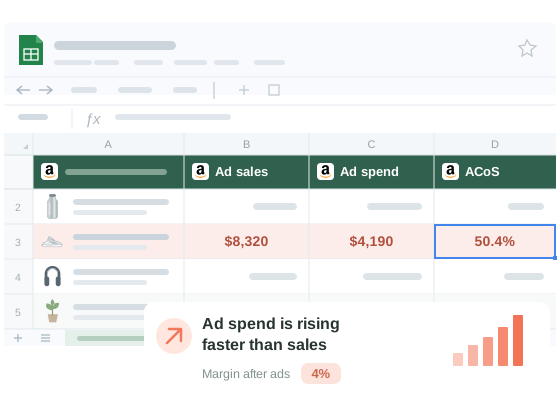
From the daily pacing check to the weekly performance review
Review spend against the approved plan
Keep approved budgets and pacing targets beside linked campaign spend. Compare actuals with your own plan by account, marketplace or campaign, and record the reallocation you want approved. Your team makes the budget changes in its advertising tools.
Get from campaign totals to the search terms and SKUs
Work through campaign, targeting, search-term and advertised-product reports at the level each supports. Compare spend, clicks, orders and attributed sales to shortlist keyword, negative-targeting or product decisions for review. Keep search terms distinct from configured targets.
Check stock and the listing before changing the bid
A conversion drop needs commercial context. Bring the affected SKU’s stock, listing and Buy Box data into the investigation alongside its ad results. Share the evidence with operations or content owners, and agree whether the next action belongs in the campaign or the retail offer.
Explain what changed, why and what comes next
Add launch dates, promotions, targets and test notes to the same workbook. Compare periods before, during and after the event, allowing for attribution delays. Give brand managers, finance or your agency the result, your interpretation and the next action in the weekly review.
Questions & Answers
Hopted imports reporting data into Google Sheets. Your team reviews the results and manages bids, budgets, targeting and campaigns in Amazon Ads or its advertising tools.
Yes. Calculate TACoS as Amazon ad spend divided by total Amazon sales, multiplied by 100. Use matching dates, marketplaces and currencies. For contribution after ads, add your own COGS and other business costs to the Amazon sales, fees and advertising data available in your selected sources. Your spreadsheet formulas define the calculation.
Choose a scheduled import interval for each source. A refresh retrieves the data Amazon currently makes available. Reporting delays and attribution windows still apply, and recent attributed sales can change. Keep report dates and attribution settings visible when comparing periods.
Connect Amazon Ads for advertising reports. Connect Seller Central separately when you also need total retail sales, inventory, listing or Buy Box context. Available reports and fields depend on the source, account and marketplace; your team combines the relevant data in its workbook.
Yes. Select the advertising profiles and Seller Central accounts your team manages. Keep the source account, marketplace, reporting period and currency alongside the results. Compare currencies separately or apply your own documented conversion assumptions.
Hopted refreshes linked data while preserving your formulas, notes, column order and formatting. Keep approved budgets, launch dates, targets and next actions in your own columns, and share the workbook with brand managers, finance, operations or your agency.
Take the next step.
Work with Amazon data in Google Sheets — without manual exports.
