The 3 problems with managing Amazon at scale
Updating your Seller Central is either painfully slow across countless pages or messy and broken when using bulksheets.
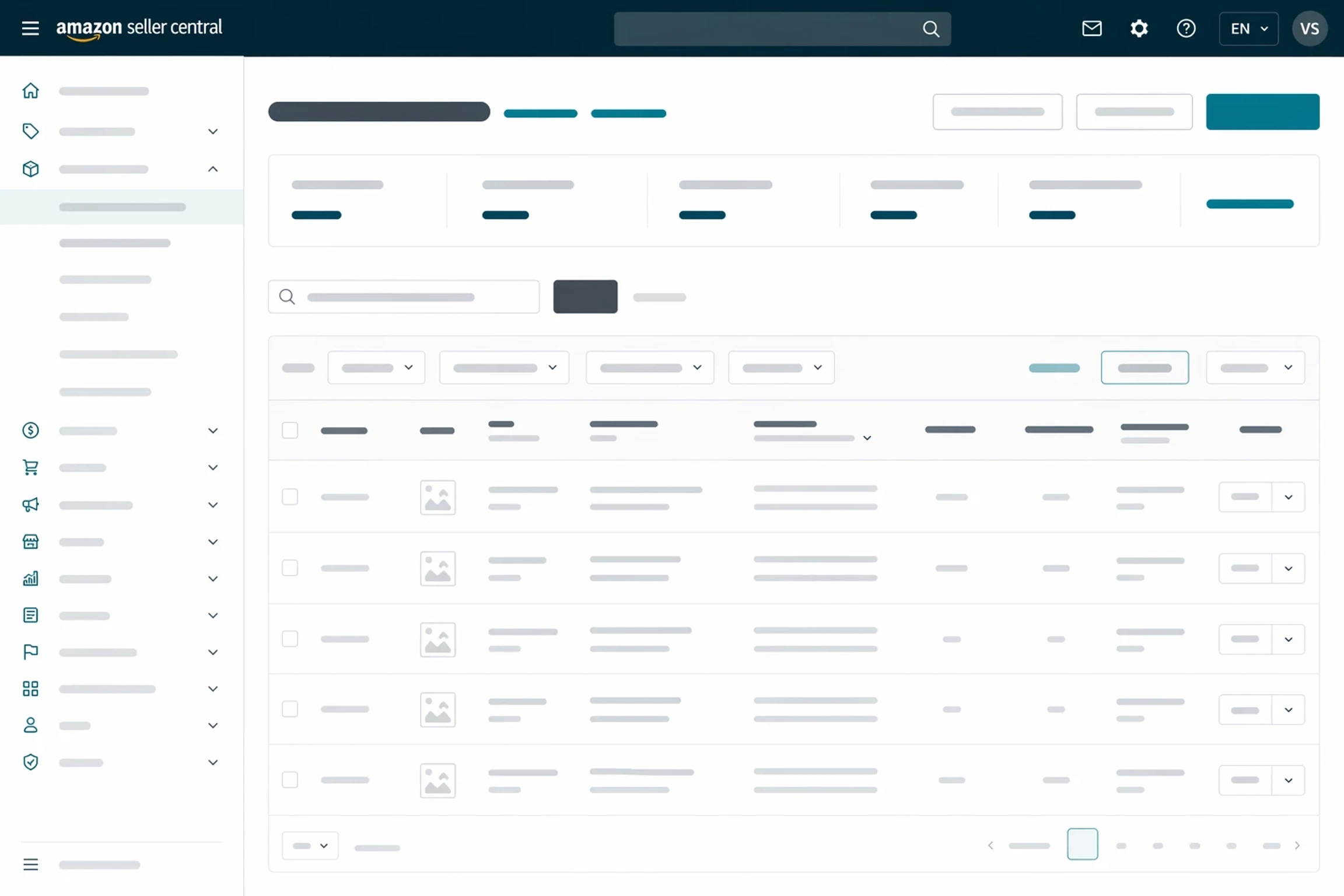
Seller Central is built for one change at a time
Need to update the listings for 50 SKUs? That's at least 50 different pages and 2 wasted hours.


Flat files are a nightmare
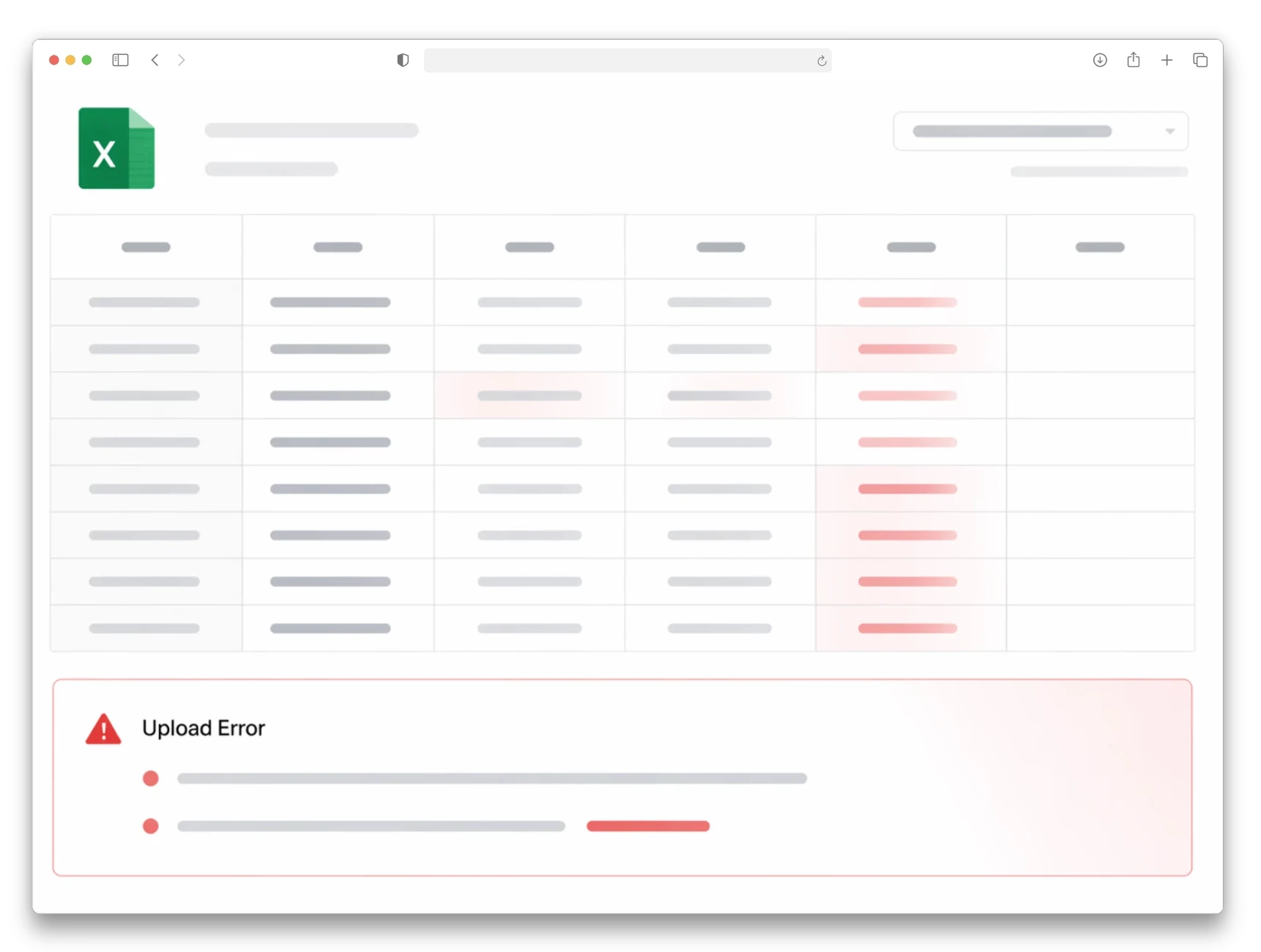
Download the right template. Figure out which of the 200+ columns you need. Fill in your data. Upload. Wait. Get a cryptic error code. Fix it. Re-upload. Repeat. For every marketplace.

No visibility, no safety net
1 wrong value in a flat file can convert your FBA SKU to merchant-fulfilled or suppress your listings—and you won't know until it's too late.
Then along came Hopted Writebacks
Hopted turns Google Sheets into your control center for Amazon store management.
Works in Google Sheets
No new tool to learn. Edit in the spreadsheet you already use.

Multi-account, multi-marketplace
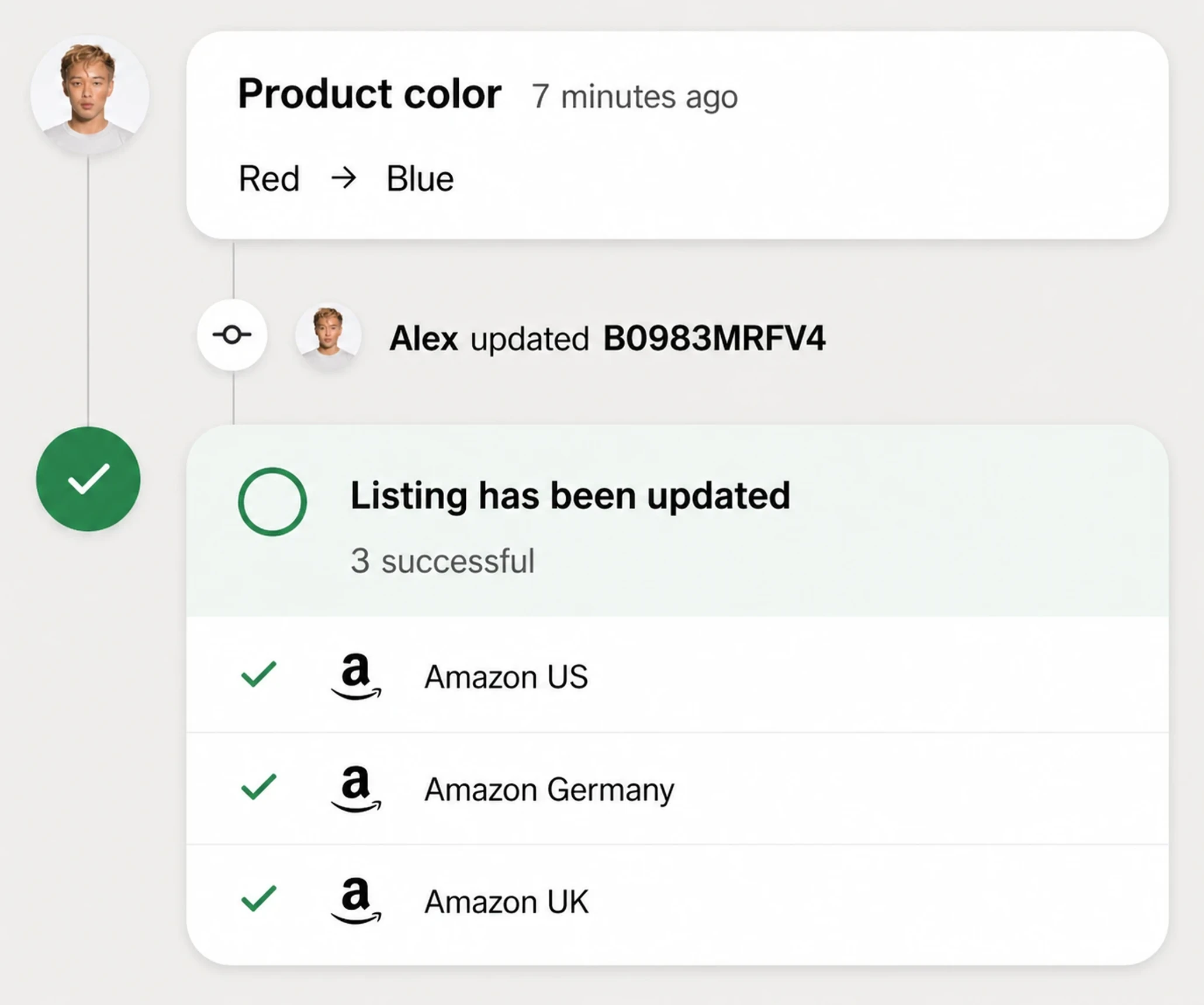
One sheet, multiple Seller Central / Vendor Central accounts, all marketplaces. One click to update everywhere at once.
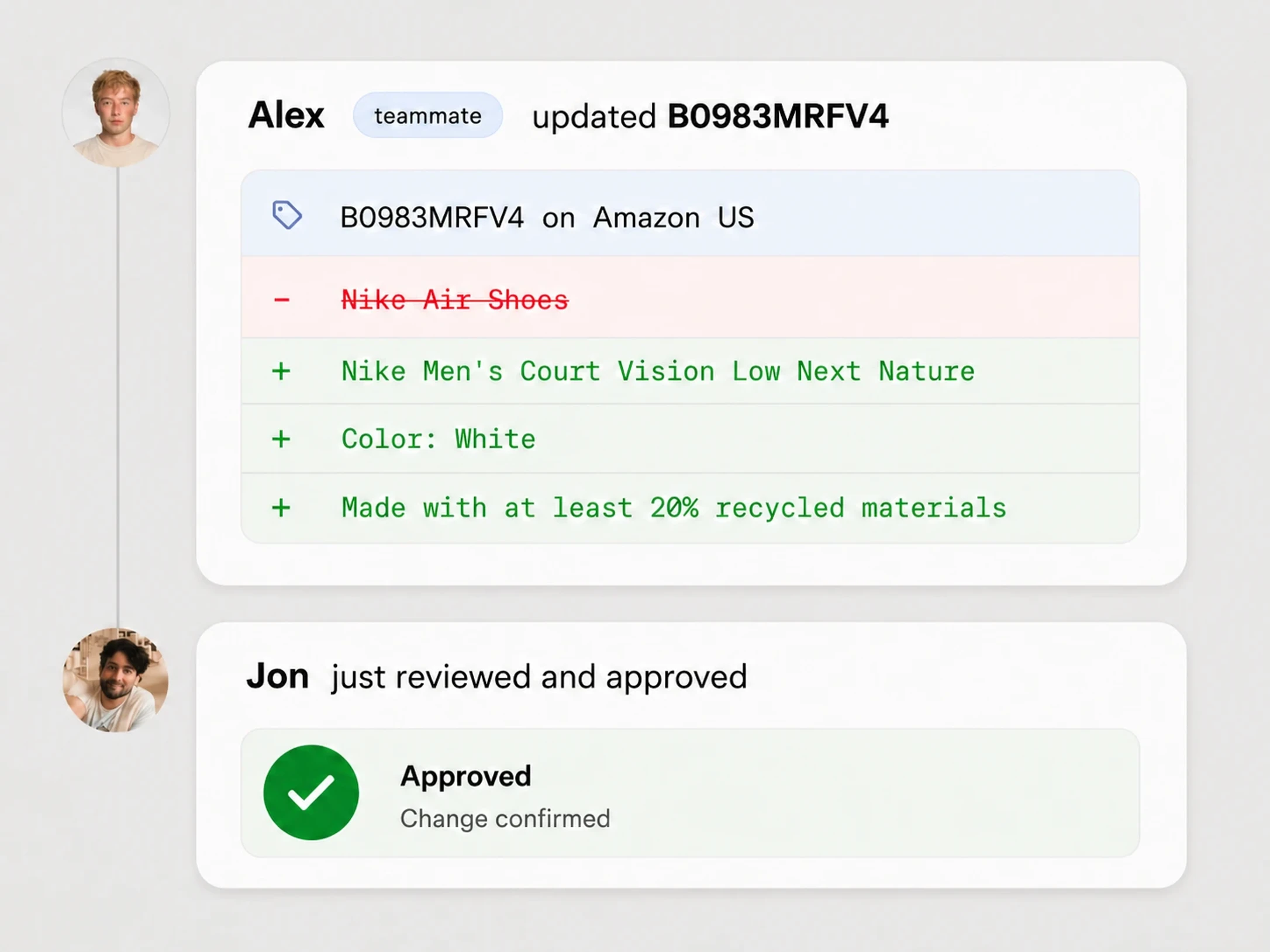
Visual change review
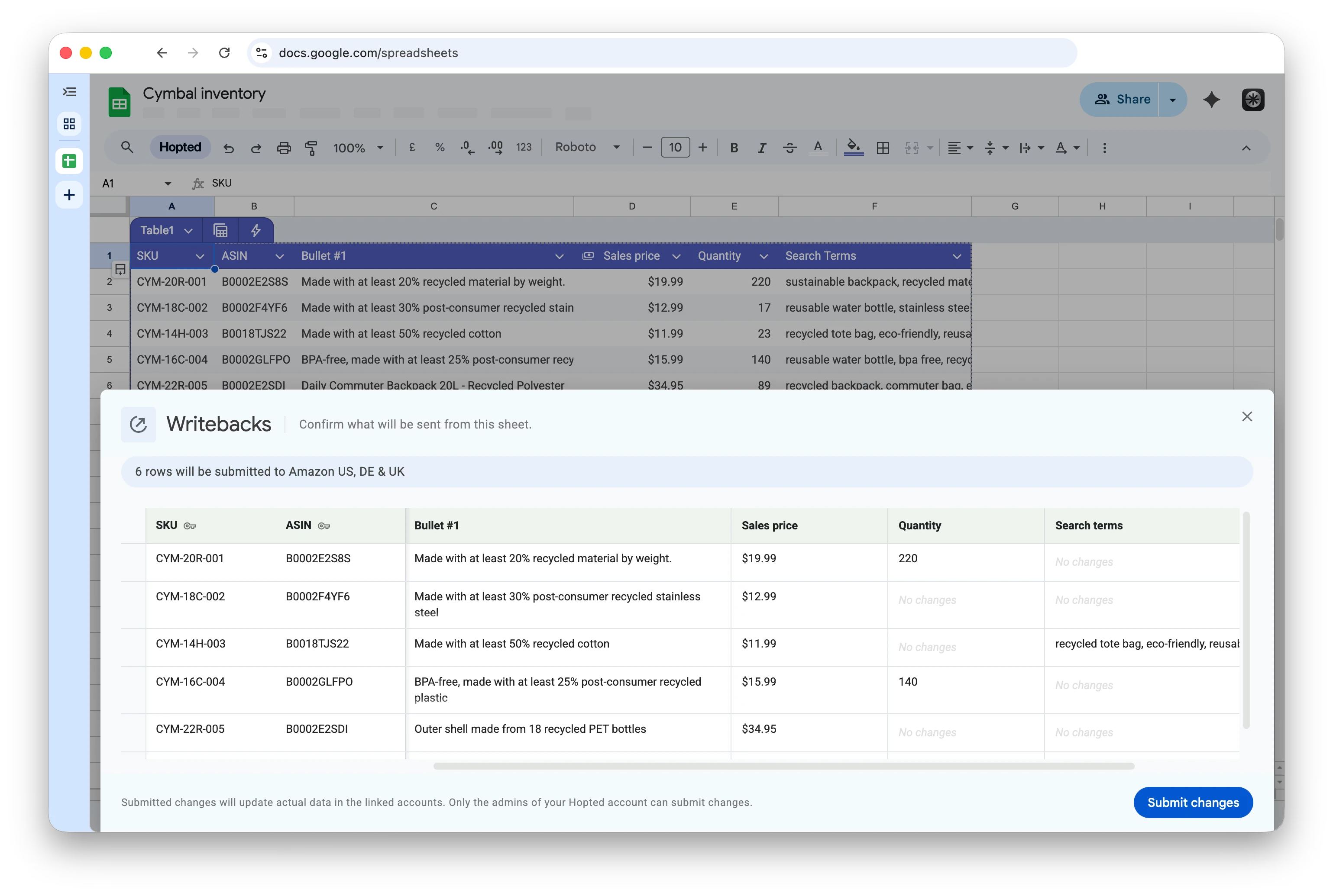
See a before-after preview of every edit before you push. Know exactly what will change, where.
With Hopted Writebacks, Amazon teams can bulk edit
We finally fixed your Amazon store management
Leave the slow UIs and complex CSVs behind.

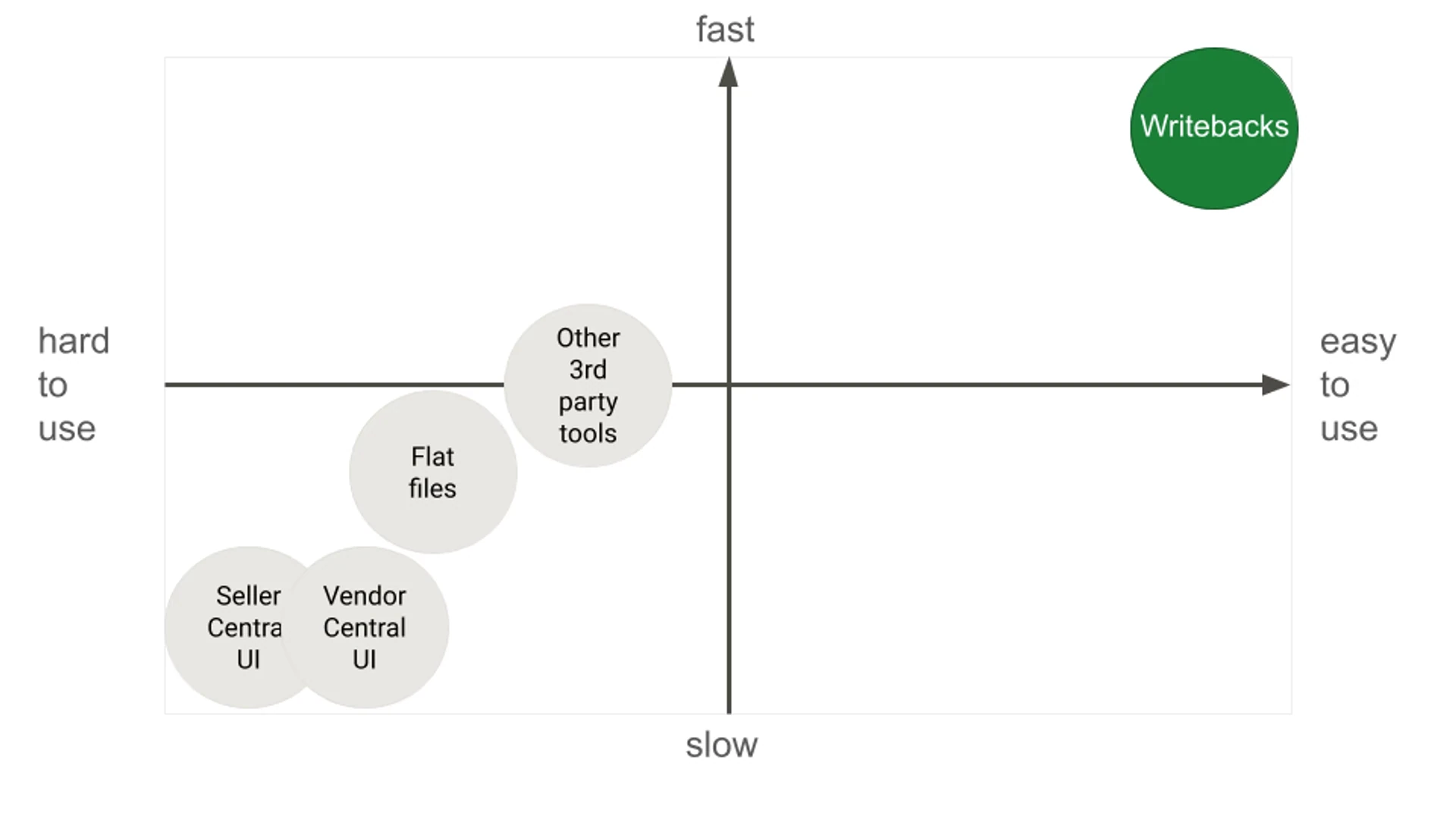
Expect 20x, 50x, 200x productivity gains
What used to take days now takes minutes.
How it works
From sign-up to fixing 99 listing problems — in under 7 minutes.
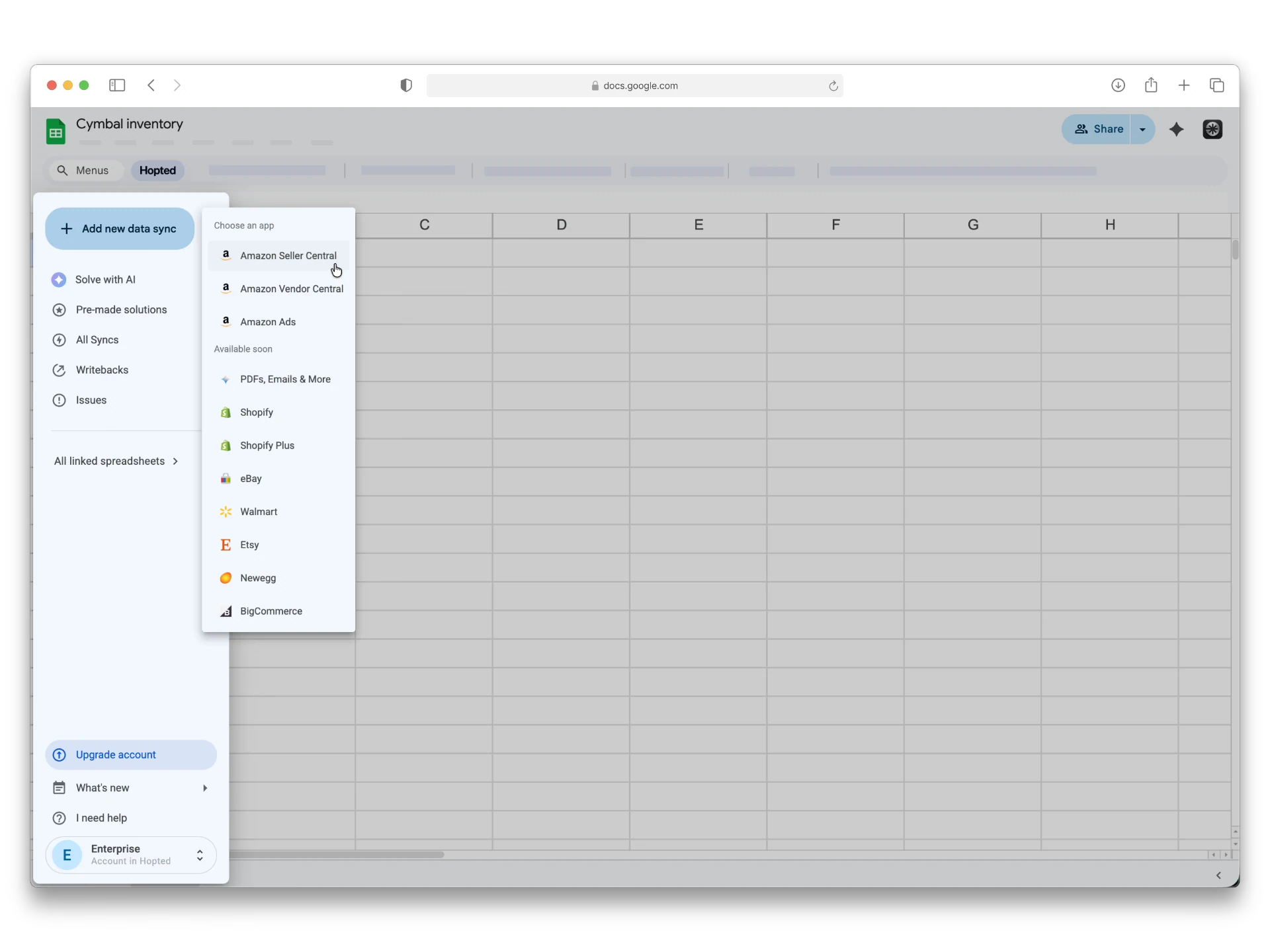
Connect Amazon to Google Sheets
Install the Hopted browser extension to link your Seller Central, Vendor Central, or Amazon Ads to Google Sheets. Connect as many accounts as you need.


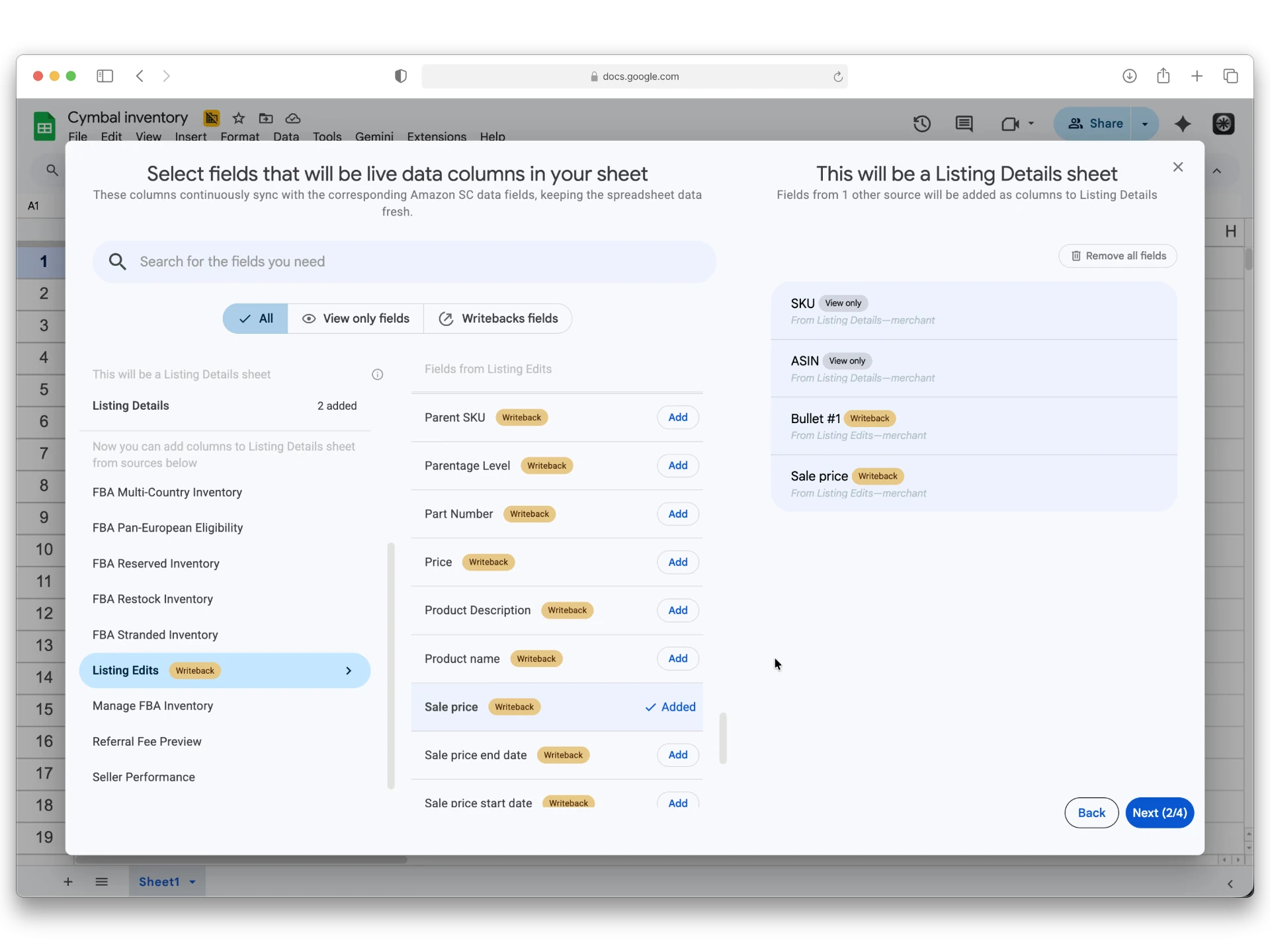
Select what attributes you want to change
Choose exact product details you want to change. Hopted syncs your SKUs straight into your Sheets, completely bypassing the need to use Excel flat file templates.

Edit in Google Sheets
Conveniently modify the relevant cells inside the Sheets. Whether you are adjusting a single price or correcting 1000s of listings.
Review and submit
The Writeback panel inside a Sheet workbook gives you a clear review of every proposed change. Click submit. Edits are pushed to the correct Amazon marketplaces. No manual file uploads required.
The new way to manage your Amazon store.
"Best upgrade to Seller Central"

Terje Sørli
Owner, Skånem AB
"Helps solve more problems in less time"

Hayron Baten
Marketing Coordinator, IQAir
"Bulk edits—from a dreaded chore into a frictionless habit."

Idelle Ng
Employee, Biodance
Use cases
If your team handles or wants to automate any of these Amazon-specific operations, Hopted is built for you.
Fix listings and catalog data fast
Edit product fields, attributes, and listing data across large sets of SKUs.
Faster issue resolution
Pricing and inventory
Roll out pricing or inventory changes faster across accounts and marketplaces.
Faster rollout of updates
Marketplace-specific changes
Handle updates across regions without repeating the same work manually in each interface.
More consistency across sales channels
Ads operations
Make bulk campaign changes without relying on bulksheets or countless pages.
Fewer operational bottlenecks
Agency workflows
Standardize how your team makes, reviews, and pushes changes across multiple clients.
Modern operating model
Account-wide changes
Safely perform critical account updates without the fear of breaking things, or erasing something.
Peace of mind and safety
Hopted Writebacks are purpose-built to get rid of painful and slow Amazon operations.
Built for Amazon sellers
Fix listings, pricing, and inventory issues faster without drowning in Seller Central workflows.

Built for Amazon vendors
Handle large-scale operational changes with more speed and less manual overhead.

Built for Amazon agencies
Manage multiple client accounts with a repeatable, reviewable workflow your team can actually scale.

What Amazon marketplaces are supported?
Hopted supports all Amazon marketplaces:
North America (US, Canada, Mexico, Brasil)
Europe (Ireland, United Kingdom, Spain, France, Belgium, Italy, Sweden, South Africa, Poland, Egypt, Turkey, Saudi Arabia, United Arab Emirates, India)
Far East (Singapore, Australia, Japan)

Does it work across multiple marketplaces?
Yes. You can bulk edit an attribute, and submit changes. Those edits are reflected across multiple Amazon marketplaces from a single sheet.
What is Hopted Writebacks?
It's a bulk edit feature that allows you to make changes to Amazon listings, product details, inventory, and ads directly from Google Sheets. Once updates are made in a spreadsheet workbook, you can review them and, with the click of a button, submit changes and update linked Amazon accounts across marketplaces.
Who is it for?
Hopted is a fit for Amazon private label sellers, brand owners, vendors, FBA and FBM sellers, agencies, resellers, manufacturers, and virtual assistants. It is especially useful for teams that already rely on Excel spreadsheets or CSVs.
Can I connect multiple accounts (incl. Ads account)?
Yes. You can connect an unlimited number of Amazon accounts, including Seller Central, Vendor Central, and Ads accounts.
What is Amazon bulk update software?
Amazon bulk update software helps teams make large-scale changes to listings, pricing, inventory, attributes, or ads without editing each item manually one by one.
What is a flat file alternative for Amazon bulk edits?
The traditional alternative is manually updating individual listings in Seller Central. A faster solution is Hopted Writebacks, which replaces flat files entirely. Operating directly within Google Sheets (you must install a browser extension first), Hopted lets you sync your Amazon listings in a workbook, make bulk edits for a specific attributes in a familiar spreadsheet, and bi-directionally sync those changes across all your Amazon accounts and marketplaces with one click—no CSV downloads or uploads required.
How is this different from Amazon flat files?
Flat files depend on downloading templates, formatting data correctly, uploading files, and fixing errors. Our platform gives teams a more direct workflow in Google Sheets where you select only attribute(s) that you want to update in Amazon, fill it out in Sheets and submit with 1 click. That changes are propagated to all linked accounts and marketplaces.
How can I easily fix or avoid Amazon flat file errors?
Standard flat file error fixes involve downloading error reports, finding the exact mismatched cells, and trying another upload. With Hopted Writebacks, you avoid this loop. You pull your Amazon listings directly into Google Sheets, make your bulk edits in the table, and hit submit. Hopted updates your listings so you never have to touch a CSV file.
Can I bulk edit Amazon listings from Google Sheets?
Yes. Our platform lets you bulk edit in Google Sheets, review proposed changes, and submit approved updates to the right Amazon accounts and marketplaces.
Do you support category-specific inventory files?
Yes. Hopted Writebacks eliminate the need for category-specific Excel templates entirely. Instead of managing, formatting, and uploading different files for different product categories, Hopted syncs your listings directly in Google Sheets where you make bulk edits. Hopted instantly processes those edits and updates your listings on Amazon in the background, bypassing the flat file system completely.
Do you support price & quantity flat file template?
Yes. Hopted Writebacks eliminate the need for Price & Quantity template entirely. Instead of downloading, formatting, and uploading that Excel flat file, Hopted syncs your product and listing info directly in Google Sheets where you make bulk edits. Hopted instantly processes those edits and updates your prices and quantity on Amazon in the background, bypassing the flat files completely.
Can I bulk edit variations on Amazon?
Yes. Besides that you can bulk edit Amazon product titles, bullet points, pricing, descriptions, backend search terms, and more. You can edit listings directly in Google Sheets and your edits will be synced to your Amazon account. So you bypass the Amazon Listing Loader and product listing details template completely.
Does this work with Seller Central and Vendor Central?
Yes. It is an Amazon Seller Central and Vendor Central bulk edit tool.
Can agencies use this for multiple clients?
Yes. Agencies can standardize bulk update workflows across client accounts and reduce the time spent on repetitive manual operations.
How to bulk edit Amazon listings without flat files?
The standard approach is using Seller Central, but it's incredibly slow since you have to open and edit each listing on a separate page. A modern, frictionless alternative is using Writebacks. This allows you to manage listing attributes directly in Google Sheets, automatically syncing your changes straight to Amazon.
What is the closest alternative to Hopted Writebacks?
If you own a Shopify store, you likely know Matrixify for bulk importing, exporting, updating, and migrating data. Hopted Writebacks allows you to accomplish the same for Amazon but without dealing with CSV imports or exports.
Do I need to install software?
Just a browser extension which adds the necessary user interface inside Google Sheets. Then your team simply works inside Sheets — no new tool to learn.
Still not sure if Hopted is right for you?
Let an independent AI arbiter do the thinking for you. Click a button and see what your favorite AI says about Hopted.