All use cases / Finance & accounting teams
Explain your Amazon numbers with confidence
For Amazon finance and accounting teams: bring transactions, fees, refunds and stock into Google Sheets. Keep reconciliation, margin analysis and month-end working papers in a model you control.

Trusted every day by modern Amazon teams





From settlement review to the monthly close
Reconcile sales, fees and refunds
Bring financial transactions into your working papers. Add bank and ledger exports, apply your reconciliation rules and keep timing differences visible for review.
Prepare the month-end review
Keep cutoff assumptions, reviewer notes and unresolved differences beside the numbers. Save period-end working papers for the close pack your accountant needs.
Explain the variance
Review returns and reimbursements alongside financial transactions. Add an owner, status and follow-up notes to investigate what changed and agree the next action.
Keep marketplace and currency context
Bring the accounts you manage into a master workbook or separate models. Keep source currencies distinct and add your approved FX rates and conversion formulas.
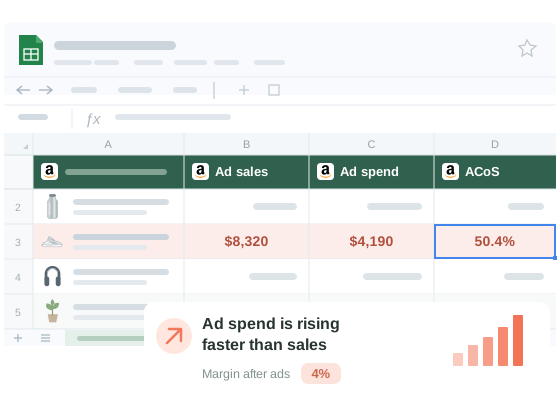
Review contribution after COGS, fees and ads
Add landed COGS, freight and other business costs to your workbook. Use formulas to review SKU and marketplace contribution, investigate fee or ad-spend changes, and model the impact of a promotion.
Put inventory investment in the cash forecast
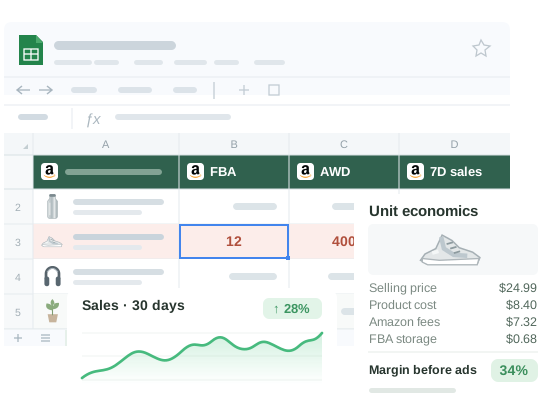
Compare FBA and AWD stock, aging inventory and sales velocity. Add unit costs, supplier terms and replenishment assumptions to model cash tied up in stock and review inventory variances with operations.
Questions & Answers
Hopted provides Amazon data for analysis and reconciliation in Google Sheets. Your team keeps its ledger, bookkeeping, tax work and accounting approvals in its existing accounting workflow.
Import available Financial Transactions data, then add your finalized settlement statements and bank or ledger exports for your team to reconcile. Check dates, currencies and payout periods. An ongoing transaction feed can differ from a finalized settlement statement.
Add your own landed COGS, freight and other business costs in the workbook. Import Amazon fees through Seller Central and advertising reports through the separate Amazon Ads connector. Use your formulas to calculate contribution and document the assumptions.
Yes. Bring available FBA returns and reimbursement records into your review. Your team investigates differences, checks supporting evidence and handles any claim with Amazon under its current policies. Hopted does not submit reimbursement claims automatically.
Yes. Hopted refreshes linked Amazon data while preserving your formulas, notes, column order and formatting. Keep your cost inputs, reconciliation rules and reviewer notes alongside the imported columns.
Choose a scheduled import interval for each source. Availability and reporting delays depend on Amazon. Review the reporting period and source context before closing a period, and save the period-end working papers your accounting process requires.
Take the next step.
Work with Amazon data in Google Sheets — without manual exports.
