Why your listing updates don’t always show on the Amazon product page


Amazon sellers often use the words listing, ASIN, catalog item, and product page interchangeably. In everyday conversation, that is usually fine. But technically, they are not the same thing.
This distinction matters because a seller can edit a listing, but the result may affect either:
only that seller’s own SKU / offer, or
the shared Amazon product page connected to the ASIN.
The core idea is simple:
A listing is seller-specific. An ASIN identifies a shared catalog item. Some listing changes can become contributions to its product page.
Four terms that are easy to confuse
An Amazon Catalog Item is the product record in Amazon’s catalog.
An ASIN is Amazon’s unique identifier for that catalog item.
An Amazon Listing is the seller-specific record that connects a seller’s SKU to a product in Amazon’s catalog.
An offer is the commercial part of the listing: price, quantity, condition, fulfillment, and shipping details.
A useful shorthand is:
Term |
Meaning |
|---|---|
ASIN / Catalog Item |
The shared product in Amazon’s catalog |
Listing / SKU |
A seller-specific record for selling that product |
Offer |
The seller’s commercial terms for selling it |
Catalog item vs. listing
An Amazon Catalog Item is the product as Amazon understands it.
It may include product information such as title, brand, images, bullet points, description, product type, size, color, material, variation relationships, and external product identifiers.
The catalog item is shared across all sellers. It does not belong to a single seller.
A seller listing is the seller-specific connection to that catalog item.
It contains seller-specific information such as price, qty, condition, fulfillment settings, and other offer detalis.
But the listing can also contain product information: title, images, brand, size, color, identifiers, variation data, and other product attributes.
This is where the wording gets a little tangeld, easy to do.
When a seller says, "I changed the listing," they may mean one of two things:
"I changed my seller-specific offer data."
"I changed product data that may contribute to the shared ASIN."
These two types of changes behave differently and can produce different outcomes in Amazon.
Two kinds of listing changes
Seller-specific changes
These usually affect only the seller’s own listing or offer.
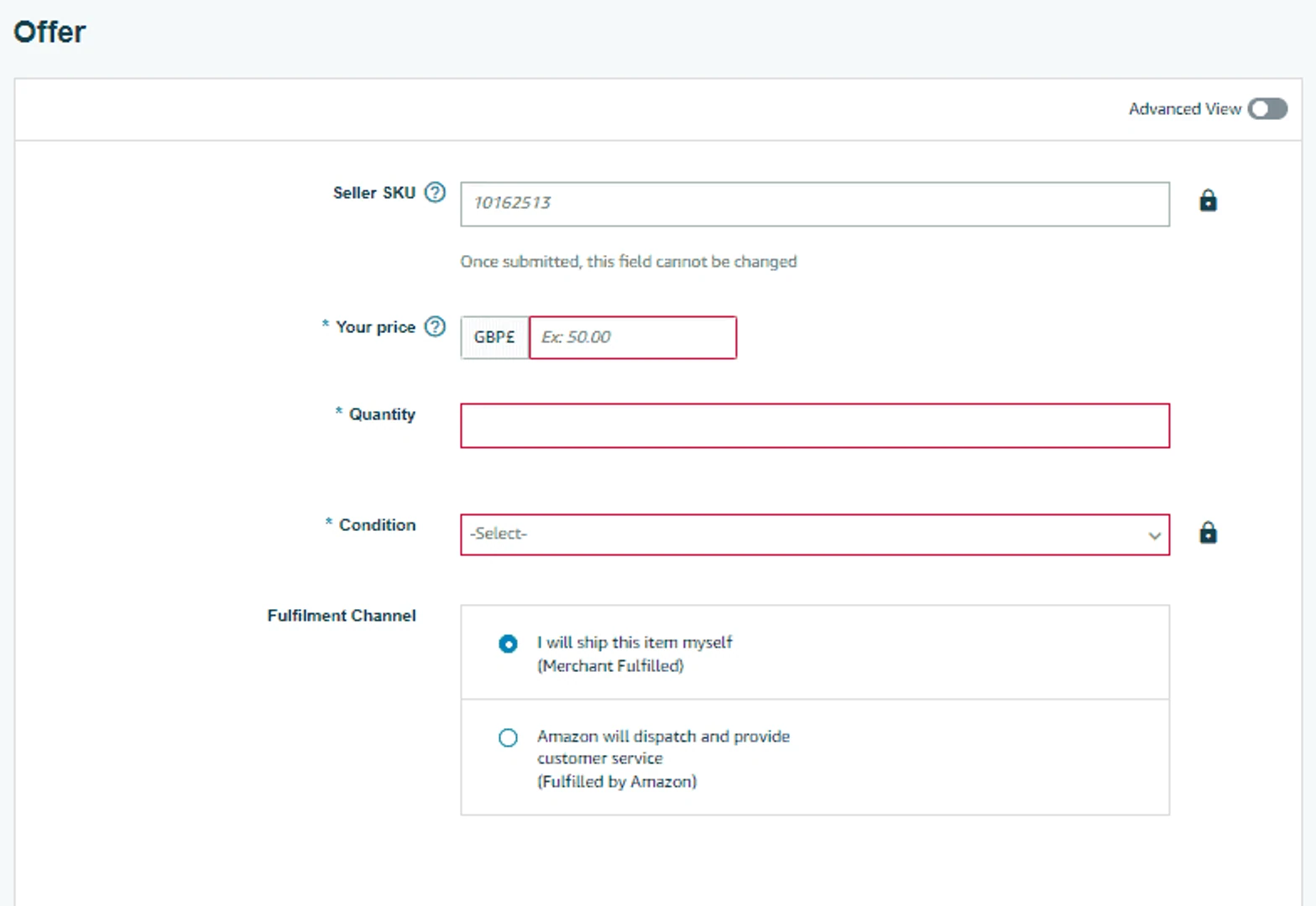
Seller-specific changes include price, quantity, condition, fulfilment method, handling time, and shipping settings.
If you change price, quantity, or fulfillment method - you are changing your own commercial terms for selling that ASIN.
Product-data changes
Product-data changes describe the product itself.
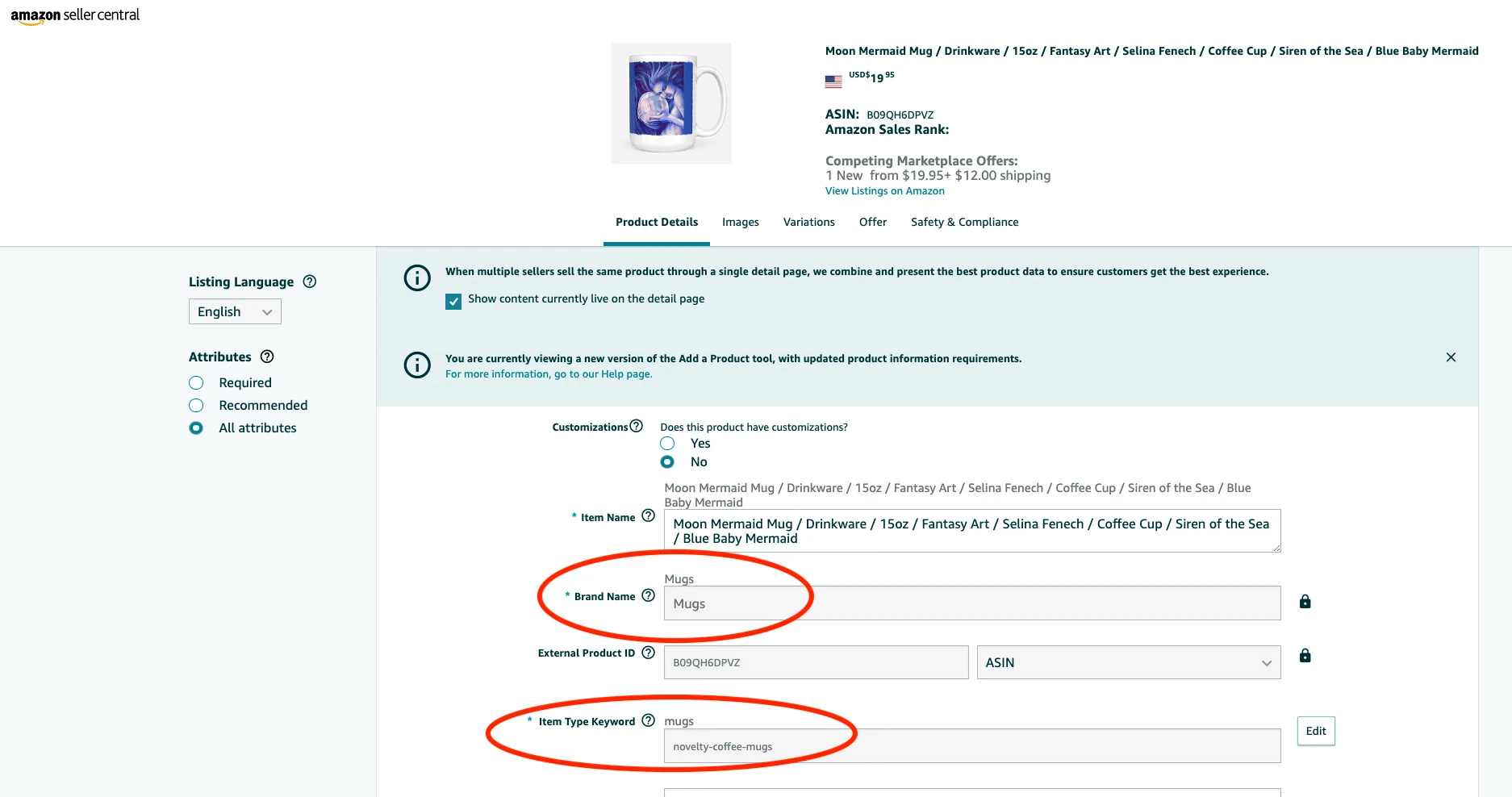
They include the title, brand, images, bullet points, description, size, color, material, product identifiers, variation data, and item dimensions.
Some product attributes can be corrected, while others have restrictions. An existing ASIN must not be repurposed for a materially different product. A permitted edit is still a contribution, not a promise that the page will change.
The important distinction is:
Changing offer data usually changes only your seller listing. Changing product data may change the shared ASIN page.
Three outcomes after a listing edit
Outcome 1: Only your offer changes
This happens when the seller edits seller-specific data.
Typical examples include:
price update
quantity update
condition update
fulfillment method change
shipping or handling-time change
Result:
your offer changes;
the shared title, images, and description do not change;
other sellers' offer records do not change, although competition for the Featured Offer may change.
This is the simplest case.
Outcome 2: The ASIN product detail page changes
This can happen when the seller edits product data.
Typical examples include:
bullet point update
image update
title correction
description update
size or material correction
variation data correction
If Amazon accepts and uses the seller’s contribution, the visible product page may change.
Strictly speaking, the ASIN itself did not become a new ASIN. The ASIN identifier stayed the same. But the product data displayed on that ASIN changed.
Outcome 3: Your contribution is saved but not displayed
This is one of the most confusing situations for sellers. Here at Hopted this is where we get the most questions about Writebacks (bulk edits of Amazon listings).
After an update through Writebacks or Seller Central, the public page may still show old content. Check the processing result and any listing issues first: an initial acceptance is not confirmation that every attribute was applied.
This can happen because Amazon’s catalog may receive product information from multiple sources, including:
the brand owner;
other sellers;
Amazon retail;
vendors;
manufacturer data;
previous catalog contributions;
Amazon’s own catalog rules.
Amazon then decides which contribution should be shown on the product detail page.
So the submitted value may be saved as the seller’s contribution, but it may not become the visible value on the ASIN page.
Your listing may be updated, but your contribution may not win on the shared ASIN detail page.
That is why sellers often feel that Amazon “ignored” the listing update. In many cases, the update may exist, but Amazon may prefer another contribution.
Who controls the product content?
Not every seller has the same influence over product content on the ASIN page.
A contribution to a product detail page is a candidate value submitted to Amazon’s catalog for a specific attribute, such as the title, image, brand, or size.
Amazon validates the submission, then processes it further. Its listing workflow documentation distinguishes initial acceptance from later issues and the live listing state. Catalog selection is another step.
For brand-registered products, the brand owner and sellers associated with the brand usually have stronger control over product detail page updates. If a seller is not associated with the registered brand, their ability to change product content may be limited; when similarly authorized sellers disagree, Amazon may also consider sales volume, refund rate, buyer feedback, and A-to-z claims.
Amazon Retail, vendor, manufacturer, or existing catalog data may also take precedence, and Amazon does not disclose the full weighting model.
This creates three possible states: the contribution is rejected, accepted but not displayed, or selected for the product page. Submitting a value means asking Amazon to consider it—not directly replacing the value customers see.
Role |
Control |
|---|---|
Seller |
Their own SKU-level listing and offer data |
Brand owner |
May have stronger authority over brand-registered product content |
Amazon |
The shared catalog item and the final content shown on the ASIN |
So even if a seller originally created the product page, Amazon may still prioritize the brand owner, other trusted contributions, or its own catalog rules when deciding which content appears on the ASIN page.
Brand Registry also does not automatically mean that nobody else can sell the product. Content control and selling rights are different things:
Content authority does not necessarily mean exclusive selling rights.
A brand owner may have stronger control over product detail page content, while other sellers may still be able to list offers on the same ASIN if they are allowed to sell that product.
Managing listing updates at scale
For sellers managing many SKUs, the practical challenge is not only understanding which fields may affect the ASIN page. It is also making updates in a controlled way: reviewing changes, avoiding manual errors, and keeping track of what was submitted.
This is where a spreadsheet workflow can help.
With Hopted, sellers can edit Amazon listing data in bulk directly in Google Sheets and use Writebacks to push selected changes back to Amazon.
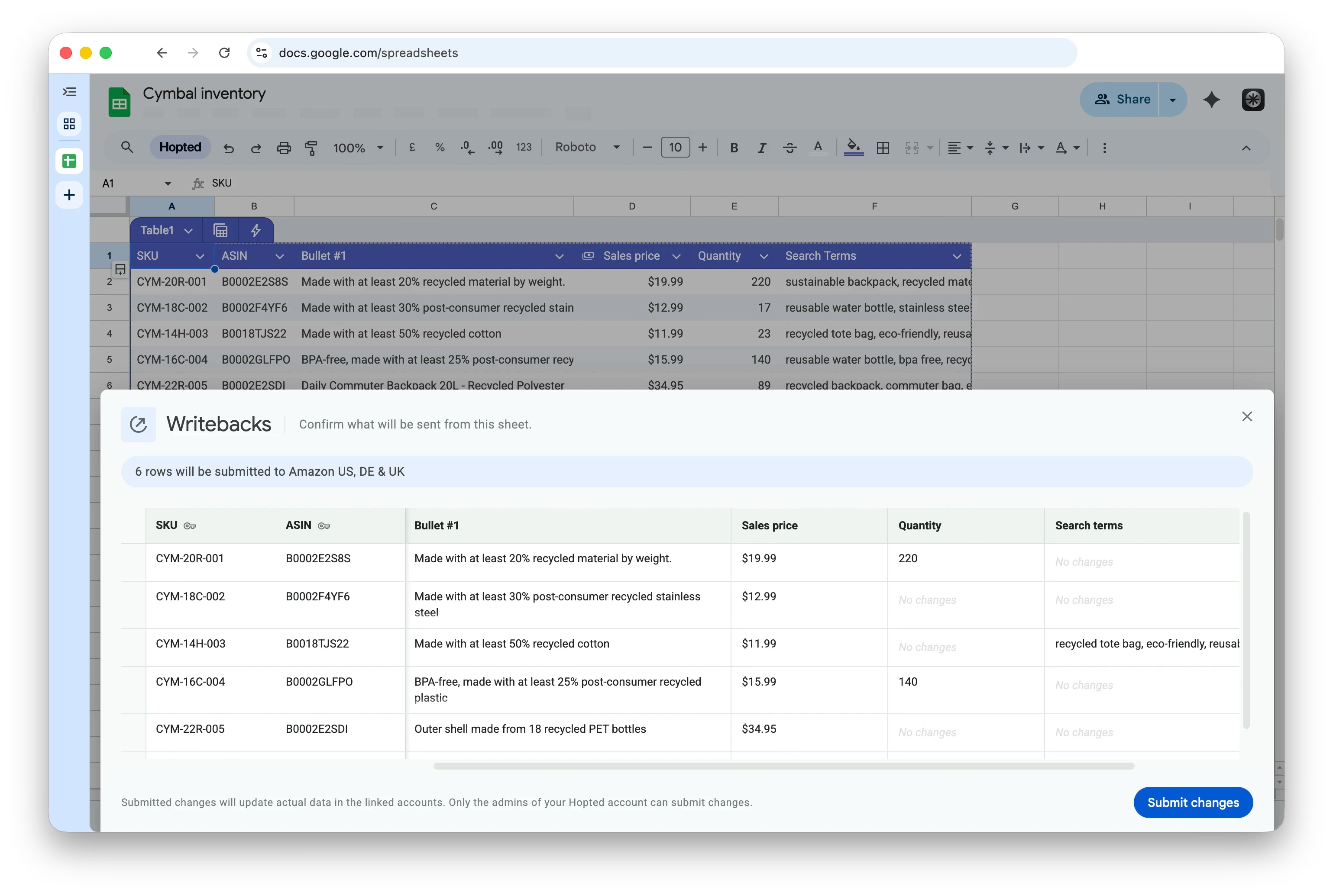
Hopted does not change Amazon’s catalog rules. Amazon still decides whether product-data changes are accepted and whether they appear on the shared ASIN page. But Hopted can make the update workflow much faster, more controlled, and more predictable, helping sellers avoid slow manual edits in Seller Central and cumbersome flat files.
The model to keep in mind
An ASIN identifies the shared Amazon catalog product.
A listing is a seller-specific SKU record connected to that product.
An offer is the commercial part of the listing.
When sellers change price, quantity, condition, or fulfillment settings, they usually affect only their own listing.
When sellers change product data, such as title, images, bullets, brand, size, color, variation data, or product identifiers, the update may become a contribution to the shared ASIN detail page.
For brand-registered products, the brand owner and sellers associated with the brand usually have stronger control over product content.
Being the seller who created or manages a listing does not necessarily mean permanent control over the ASIN. The ASIN belongs to Amazon’s shared catalog, and Amazon decides which product data appears on the product detail page.
