Search by name, keyword or product ID. Open View Variations, then add offers to selected variants or choose Add new variant(s) for new or existing products. Complete and upload Amazon’s prefilled spreadsheet.
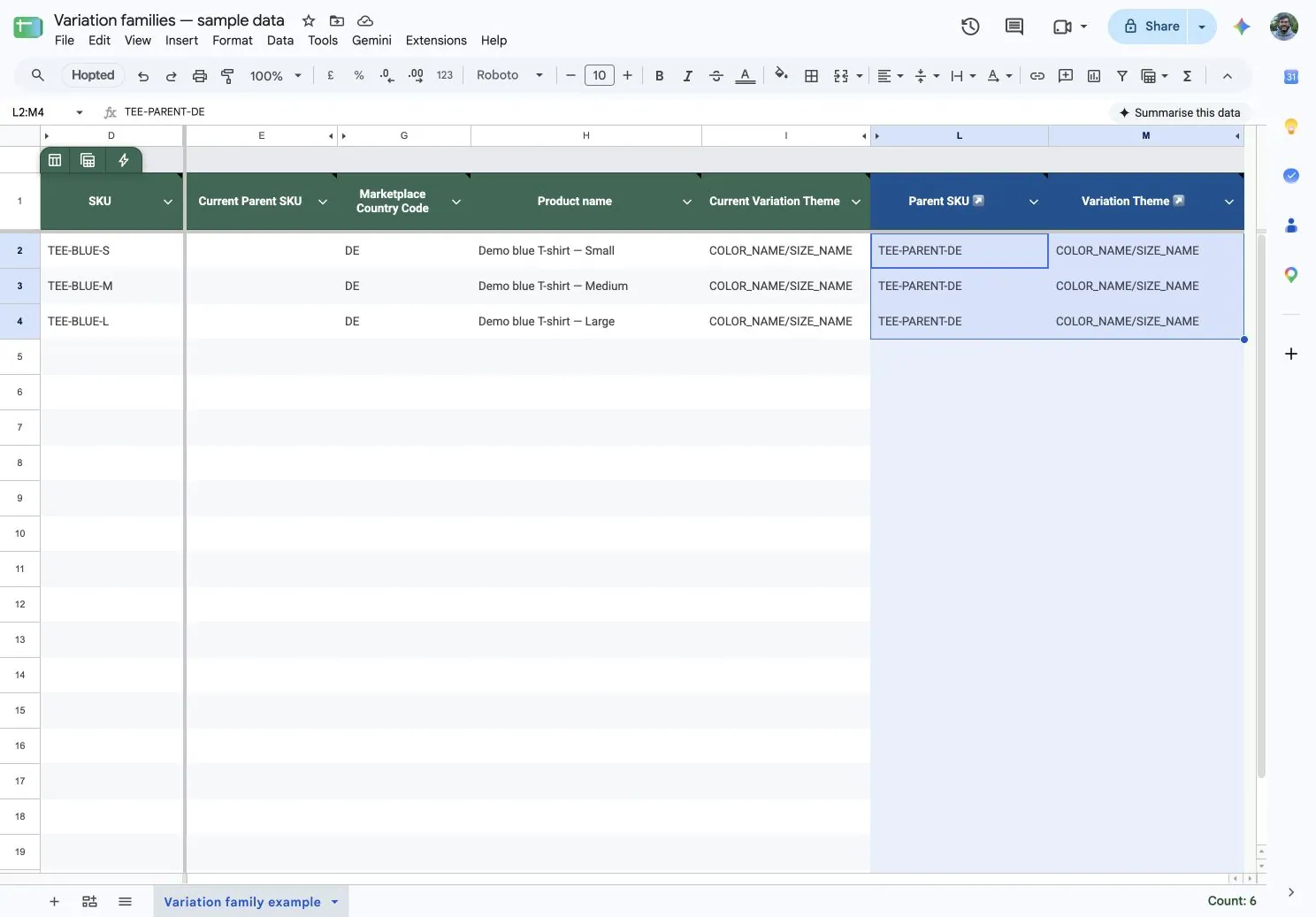
Import existing listings and current relationships. Fill the intended Parent SKU down selected child rows, prepare several families together, then review and submit the selected changes from Google Sheets.
Amazon prepares a family spreadsheet. Hopted keeps existing-listing edits in Google Sheets.
Task
Amazon’s new variation editor
Hopted + Google Sheets
Get the data
Search for a family and download its prefilled spreadsheet
Import listings and relationships into your Sheet
Make edits
Complete the downloaded spreadsheet
Filter, paste, and fill cells in Google Sheets
Send changes
Upload the file in Seller Central
Select cells, review changes, and submit from your Sheet
Get the data
Amazon’s new variation editorSearch for a family and download its prefilled spreadsheet
Hopted + Google SheetsImport listings and relationships into your Sheet
Make edits
Amazon’s new variation editorComplete the downloaded spreadsheet
Hopted + Google SheetsFilter, paste, and fill cells in Google Sheets
Send changes
Amazon’s new variation editorUpload the file in Seller Central
Hopted + Google SheetsSelect cells, review changes, and submit from your Sheet
Keep recurring family maintenance in one Sheet
1. Import the current relationships
Bring existing listings, Parent SKU and Variation Theme into Google Sheets. If a parent SKU is missing, create it separately before connecting the children.
Check the completion email and Last Writeback Issues, then confirm the family in Seller Central. Use valid parent SKUs, themes and attributes for each destination marketplace.
Yes. Amazon’s Add new variant(s) workflow supports both new products and existing standalone products. The difference for recurring maintenance is how you prepare and submit changes: a prefilled file in Amazon’s workflow, or selected edits in a connected Google Sheet with Hopted.
No. This Hopted workflow updates existing imported listings. Use Seller Central to create new child products or offers. A missing parent SKU has a separate Hopted setup step, which may require enablement for your account; follow the Parent SKU guide above.
An account admin reviews and submits the selected changes through Writebacks. Preparing values in a Sheet does not submit them automatically.
Amazon validates the relationships, variation theme and required attributes for the product and marketplace. A successful submission does not guarantee the family has changed. Check the reported issues and the resulting family in Seller Central.