All use cases / Listing content updates
Update Amazon listing content from Google Sheets
Update approved titles, bullets, and product details. Review changes before submitting.
Choose the content rollout you need
Titles and Item Highlights
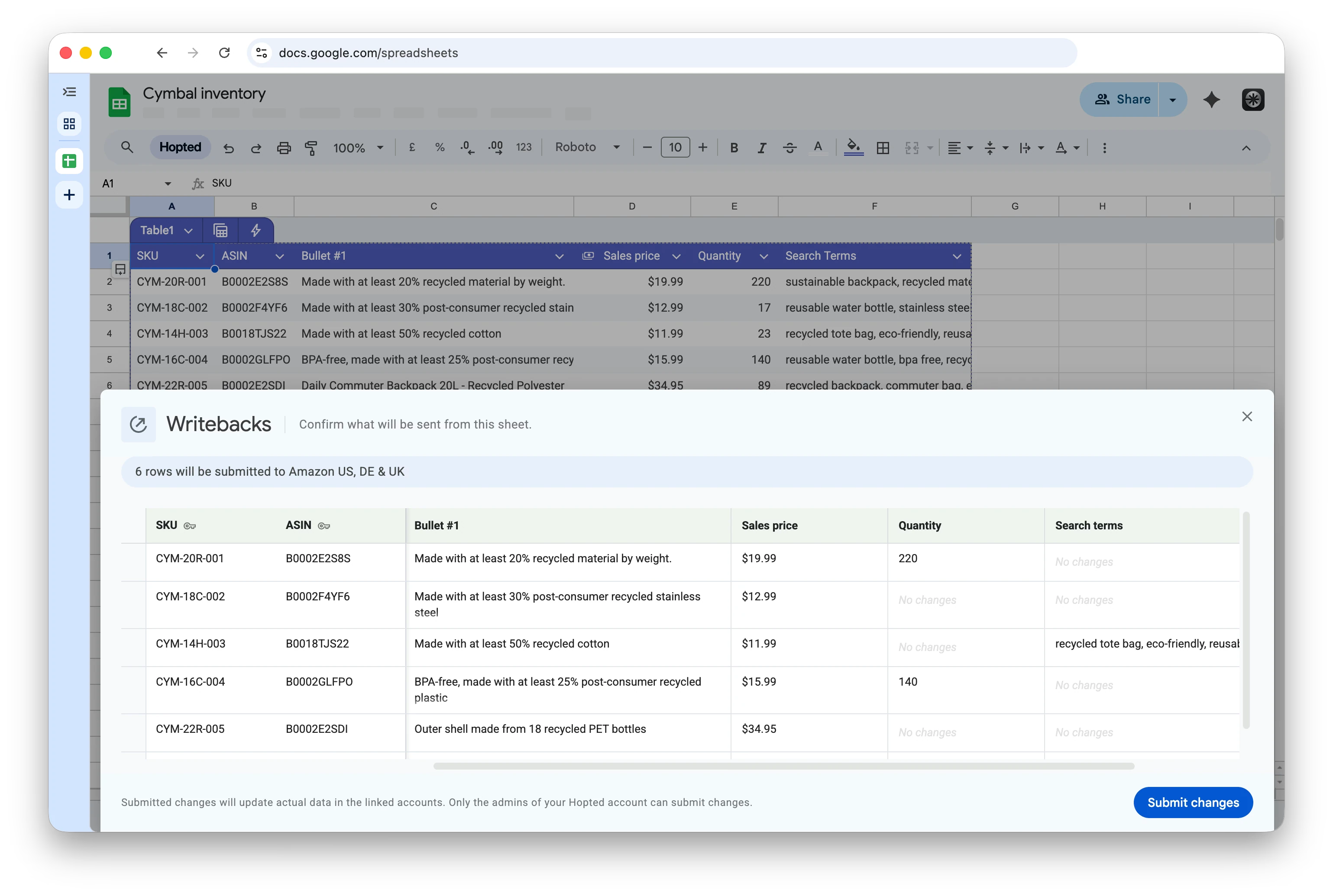
Start with Product name and Item Highlights beside SKU, ASIN, and marketplace. Roll out approved titles and supporting phrases across the selected products.
Bullet points and descriptions
Keep the approved bullet text and Product Description beside current values. Apply a corrected feature or a new content brief to the selected products.
Backend search terms
Add Generic Keywords for backend search terms. Prepare the intended terms for each marketplace; check Amazon’s field requirements before submitting.
Image replacements
Match each replacement image URL to the correct product and image slot. Image contributions can affect the ASIN across marketplaces.
One setup, many listing attributes
Complete setup and submission guide
Use the same workflow for supported attributes: import existing listings, add editable columns, prepare edits, review, submit, and check the result.
Supported listing attributes
Find your exact field, familiar names, and examples in the searchable reference. Availability and accepted values depend on the account, product type, and marketplace.
Build or repair variation families
For parent and child relationships, follow the dedicated workflow for connecting existing listings to the right parent.
Amazon seller analytics
Combine sales, inventory, fees, returns, and PPC data for recurring business reviews in Google Sheets.
Explore Hopted Writebacks
Listing content is one part of Writebacks. Explore the broader product overview for pricing, offer settings, and other supported Amazon operations.
Questions & Answers
Yes. Edit supported content fields for many existing SKUs in one Google Sheet, then review and submit the batch. Bulk updates can include titles, bullet points, descriptions and backend search terms. You can apply the same value to several products or prepare different values for each SKU. Follow the complete setup and submission guide to get started.
Yes. Each imported listing row has its own editable cells, so a bulk update can contain different content for every SKU. Keep view-only identifiers and current values beside your proposed edits, then check each product and field in the review before submitting.
Yes. Add the Generic Keywords field from Listing Edits, enter the intended search terms for each imported listing, then review and submit them through Hopted. This workflow does not require exporting and uploading an Amazon flat file. Use terms and values that meet Amazon’s requirements for the product and marketplace.
Supported fields include Product name for titles, numbered Bullet fields, Product Description, Generic Keywords, Item Highlights, image URLs, Color and Size. Search the supported-attributes reference for exact field names, alternative names and examples. Availability depends on the account, product type and marketplace.
Yes. Select the rectangular range of Writeback cells you intend to send, then choose Edits in selected range. Check every included product and field in the review: hidden or filtered rows can still be included, blank cells can clear supported fields, and unchanged values can be sent again. See how to control the update range.
Yes. You can bulk update listing content across multiple Amazon accounts and marketplaces from a single Google Sheets workbook. Connect the relevant accounts and import the listings you want to manage together. Prepare the content for each destination, then review and submit the updates from the same workbook. Each imported row stays linked to its source account, marketplace and SKU.
Yes. Add supported image fields, enter the replacement image URL for each listing and image slot, then review and submit the batch. Amazon treats these image updates as global ASIN contributions, so an image may also appear in other marketplaces where the ASIN exists. Use Seller Central Image Manager for country-specific images.
No. Changing cells or refreshing the sync does not submit a Writeback. An admin of the Hopted account must open the review, decide which changes to include and select Submit changes. You can prepare a batch in the sheet before deciding what to send.
Hopted sends the submitting admin a confirmation email when the Writeback finishes. It confirms whether the updates were successfully submitted to Amazon, with counts of successful, partially successful and failed rows for each marketplace. Check this email and Last Writeback Issues before retrying. Successful submission does not guarantee that every change appears on the public product page. Read the Writeback results guide.
This workflow updates existing imported listings. Adding a new spreadsheet row or typing a new SKU does not create a new Amazon listing. For parent and child relationships, follow the dedicated variation-family workflow.
