Build a product report with sales and inventory
Keep a product list as the starting point, then add compatible sales and inventory columns.
For a replenishment or product review, you may want the product, its current stock and its recent sales on the same row. Start by deciding which products should appear in the report.
Start with the right product list
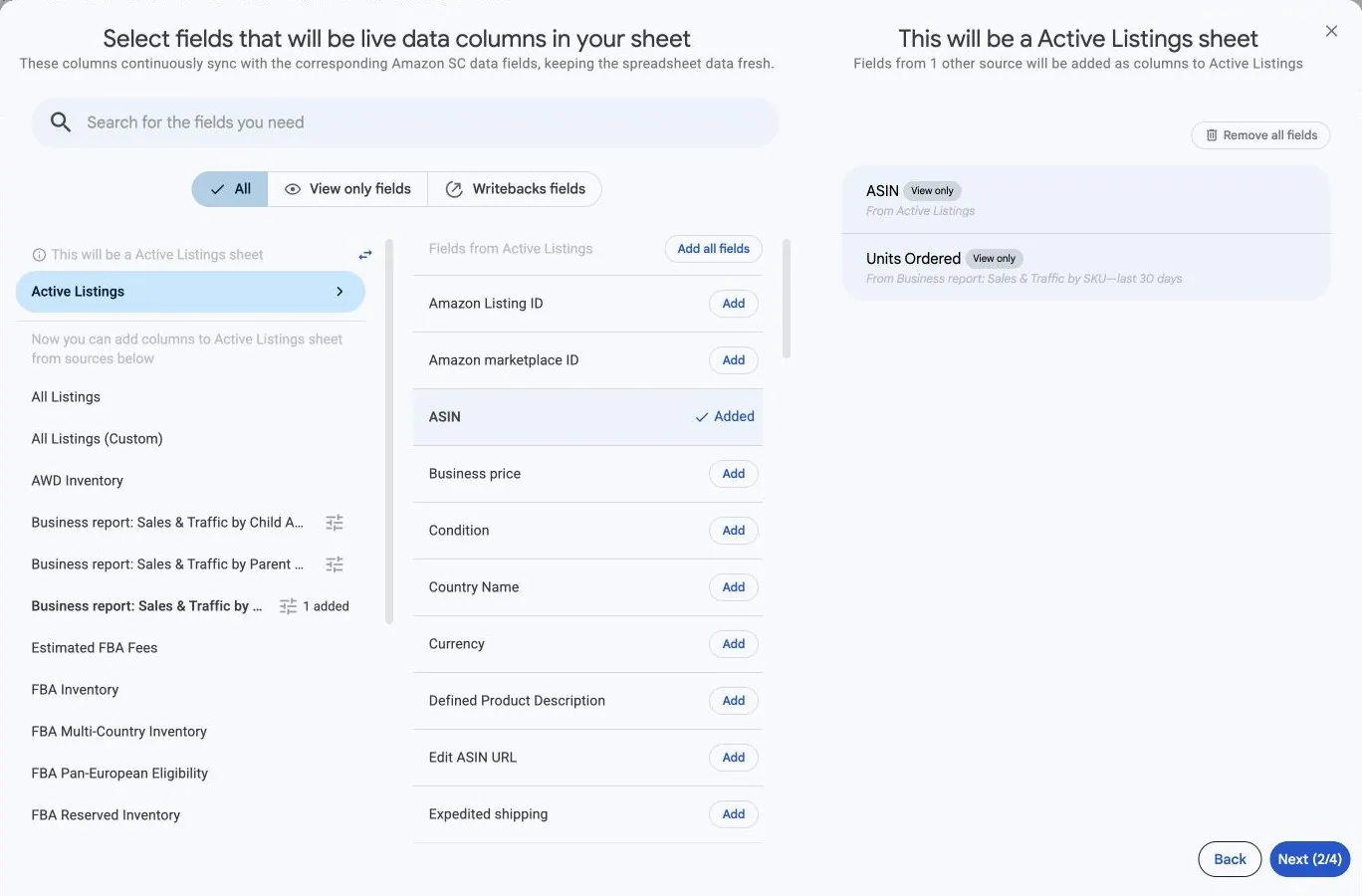
Choose Amazon Seller Central and the seller accounts and marketplaces you want. In the field picker, start with Active Listings when you want active listings. A report about inactive or suppressed listings needs a different starting source.
Add identifying columns such as SKU, ASIN and marketplace where offered. Read the This will be a … sheet label before adding other reports.
Add stock and sales columns
- From the compatible sources now shown, choose an inventory report such as FBA Inventory and add the stock measures you need.
- Choose Business report: Sales & Traffic by SKU for SKU-level sales measures when offered for this setup.
- Open that report's options and set Include records from to the intended sales period.
- Add the sales columns you need, then check each selected column's source and period.
- Finish filters and schedule, review the configuration, and save the sync.
Understand which products appear
The starting product list still determines the report's rows. Adding sales or inventory columns does not turn it into a list of every product found in every report.
A blank added value can mean no matching value is available for that product and reporting context. It does not automatically mean zero stock or zero sales. Check the account, marketplace, SKU, period and source availability.
Check the business meaning before totaling
Current inventory and sales over a period answer different questions. Keep them clearly labeled. A product's sales, stock and price also belong to a particular account and marketplace; do not combine amounts from different currencies into one total.
For another sales period beside the first, follow Compare reporting periods side by side.