Combine reports in one sheet
Add compatible data to your starting report and choose the reporting context for each set of fields.
A sync can combine compatible sources into one sheet. Your starting report determines what the rows represent; columns from other reports add context to those rows.
Build the combined report
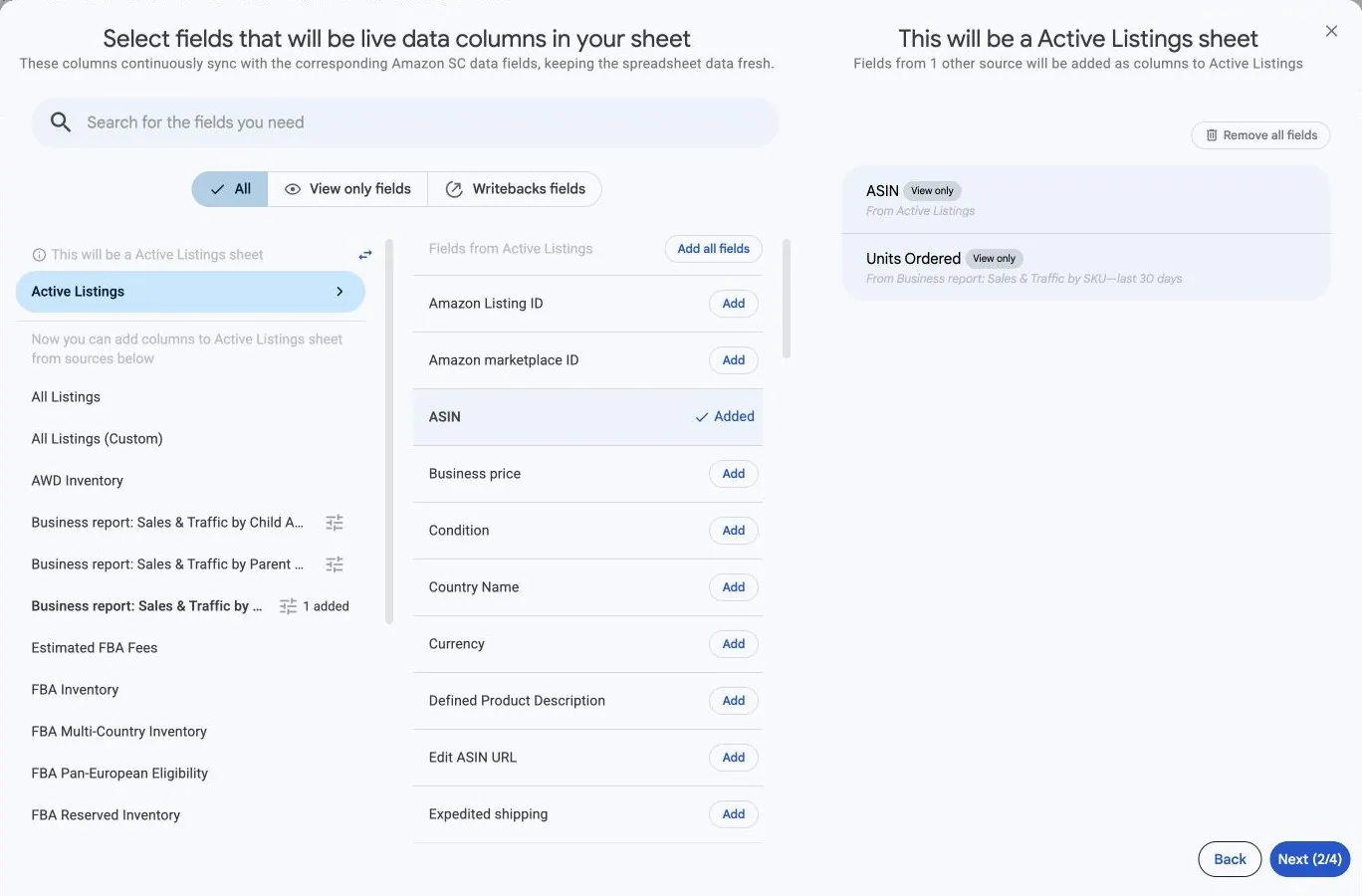
- In the field picker, add a field from the source that should define your sheet.
- Read the This will be a … sheet label. Hopted now shows the other sources that can contribute columns.
- Choose a compatible source and configure its available parameters, such as reporting dates or grouping, when prompted.
- Add the fields you need from that source. Check the source and parameters shown with the selected fields.
- Continue through filters and schedule, then review the complete sync before saving.
Use different parameters for the same source
Where the picker offers Add another … with different parameters, use it to include another set of values from the same report source. For example, compare different reporting periods when the source supports them.
Give the resulting columns clear names so you can distinguish the reporting contexts. Do not assume that fields with the same name use the same dates or grouping. Follow Compare reporting periods side by side for the full steps.
Understand missing or repeated values
Not every source can combine with every starting report. Use the choices offered after selecting your starting report. A value from another report can be missing when no corresponding data is available for a row in your starting report.
A sync is set up within one selected integration. It does not offer arbitrary combinations of Seller Central, Vendor Central and Amazon Ads reports. When the desired combination is not offered, keep separate syncs and work with their outputs in Google Sheets.
For a concrete seller example, build a product report with sales and inventory. To understand changing row detail, see Choose what each row represents.
Before comparing totals, check the row meaning, account and marketplace scope, dates and how the values are grouped. See Understand missing rows or unexpected values.