Can you opt out of Amazon-initiated listing changes?

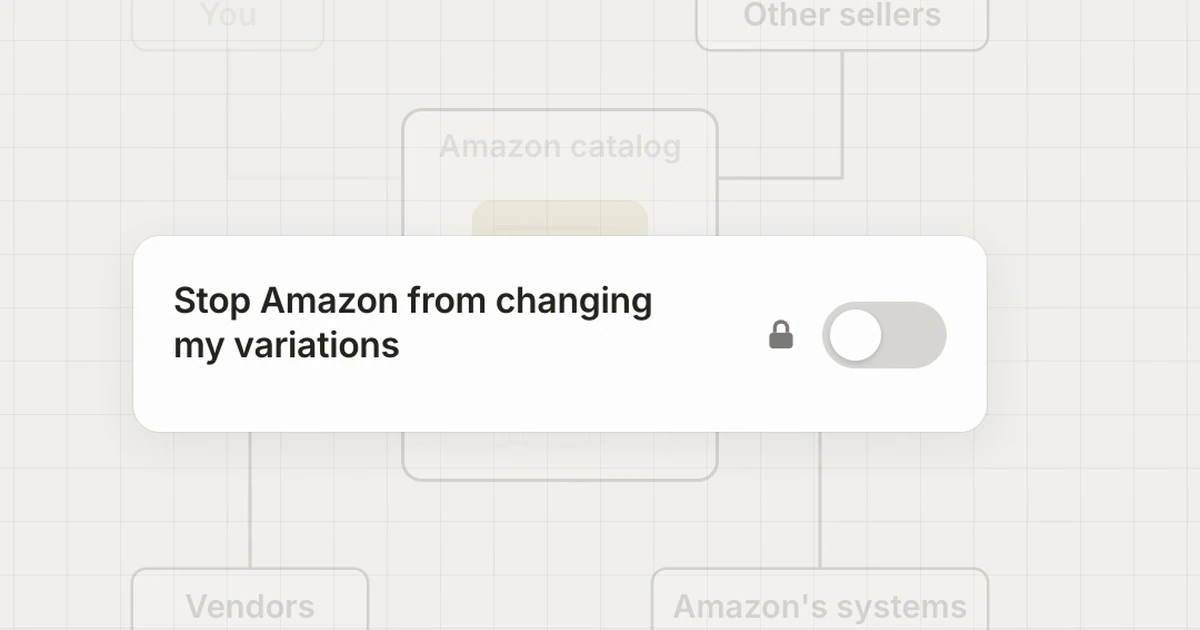
You can’t opt out of Amazon-initiated listing changes. Not as the brand owner, and not as the only seller on the ASIN.
In February 2026 Amazon launched Review listing changes, a dashboard where brand owners can see the edits Amazon makes to their product detail pages. Under the announcement in Seller Forums, two replies asked the same thing in different words: how do we opt out of Amazon-initiated listing changes entirely, and how do we stop Amazon-initiated variation relationships? One of them had watched Amazon parent together products that were related but weren’t variations of each other. Customers got confused.
Amazon’s community managers answered other questions in that thread: where to find the page, who gets access, how often to check it. Not those two.
Ten months later the honest answer hasn’t changed. Here it is, with what you can do instead.
The short answer
You can’t opt out. There’s no setting in Seller Central or Brand Registry that stops Amazon from changing your listings, and that includes variation relationships. Amazon has said as much itself. In 2024 an Amazon moderator told a brand the AI listing update program wasn’t optional and couldn’t be left.
BUT here’s what you can do:
review Amazon’s AI suggestions before they publish, and push back on changes after they publish, in Review listing changes (Brand Registry only);
get notified when the title, description, bullet points or images change on ASINs linked to your brand;
keep your own record of what every listing should say, so a change is easy to spot and reverse;
ask to be taken out of a specific Amazon experiment when one hits your brand;
fix it in minutes, not weeks: rebuild a broken variation family in bulk instead of waiting on support cases. See how below ↓
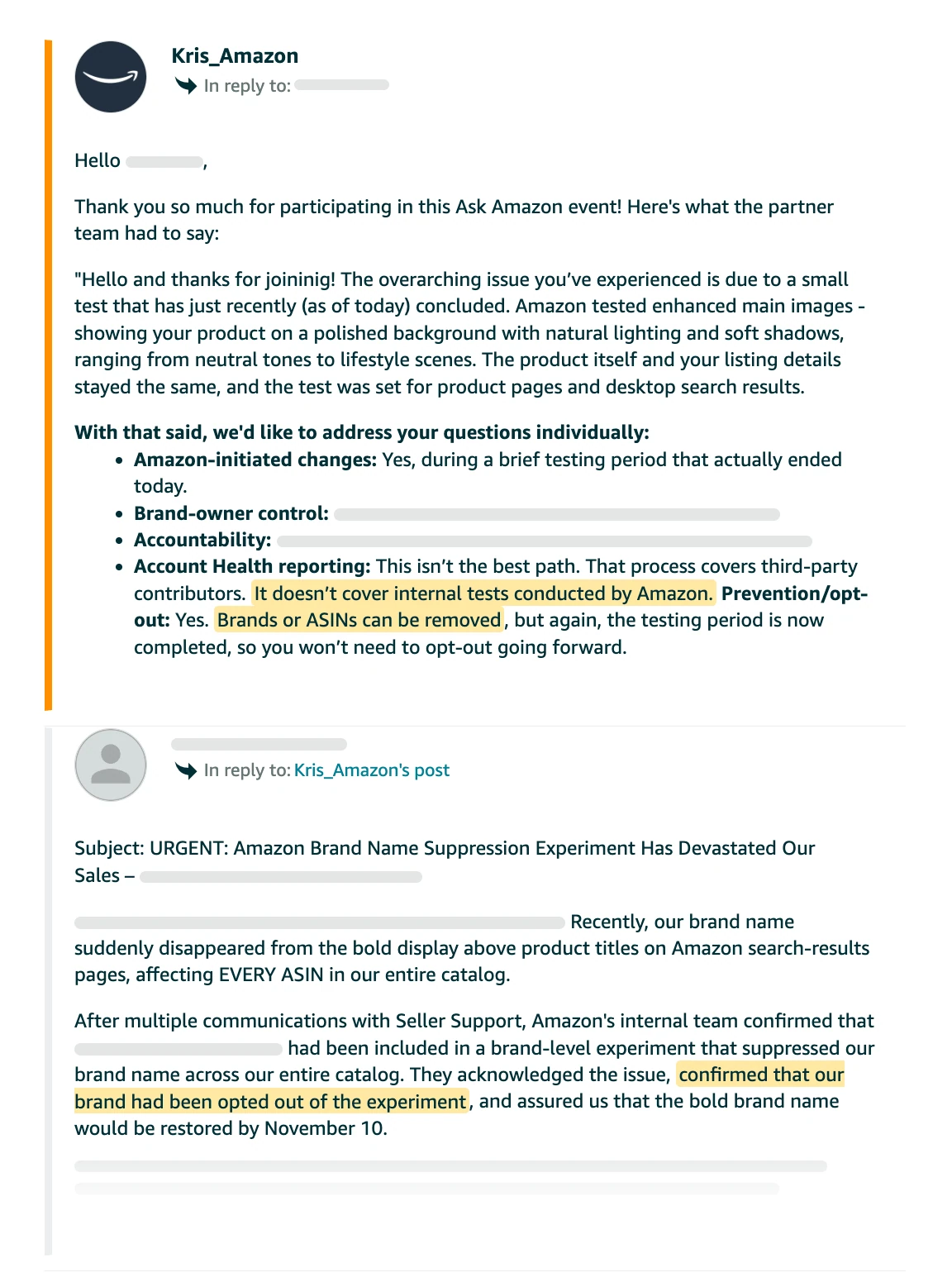
Experiments are the one partial exception. In 2026 a brand owner reported that Amazon took their brand out of a test that hid brand names above product titles in search, after they complained. When sellers asked about a test of AI-enhanced main images, Amazon said brands or ASINs could be removed from it.
That’s an opt-out from one experiment, usually after the damage is done. Not from catalog changes.
Six kinds of change you didn’t make
“Amazon-initiated” covers a lot more than AI rewriting a bullet point. We went through the threads sellers posted in 2026 and the changes fall into six groups.
AI content suggestions. Titles reformatted, bullet points rewritten, attributes filled in. One brand found almost 3,000 suggested changes when the dashboard launched. The same phrase was rewritten three different ways across its listings. Some titles came back in non-English characters, and Seller Support traced those to Amazon’s own translations for other marketplaces.
Policy rewrites. The title rules that took effect on July 27, 2026 split the old title into a 75-character title plus Item Highlights. Titles that ran over are being replaced with Amazon’s AI recommendation, gradually. Brand names disappeared from some titles. Amazon moderators confirmed that’s now intended behavior.
Images. Gallery order rearranged by Amazon’s image system. A secondary image shown in search results instead of the main one. A short test of AI-enhanced main images on new backgrounds.
Product type and browse node. Storage cases moved to cigarette cases every few weeks. Motion-sickness bands forced into the generic bracelet product type, with bracelet-only required fields.
Variation relationships. Themes switched from Color to Total Product Quantity, with auto-generated quantities. An Amazon-created virtual multipack put a 14-year-old standalone listing under a brand-new parent. One brand’s variations were merged incorrectly three times, and families it split were merged back together. Reviews split across colors.
Experiments. One brand’s name was hidden from the bold line above titles in search results, across its whole catalog.
Some are bugs. Some are tests. Some are policy.
From your side they all look the same. Something on your page changed, and you didn’t change it.
Variation changes do the most damage
A variation family is one product page shared by several child ASINs. When Amazon gets the family wrong, the damage spreads well past one field.
Buyers get confused. A bath mat offered as a “style” of a cutting board. A quantity selector that doesn’t match what’s in the box.
Ads get more expensive. One brand reported conversions dropping and ACOS rising after its families were switched to an inaccurate quantity theme. Customers clicked, then didn’t buy.
Reviews move. A merged family can show reviews written for a different product, and a split family can lose shared reviews. Since February 2026 Amazon shares reviews only between variations with minor differences, such as color or pack size. It rolled out category by category through May. So a wrong theme can affect star ratings too.
Variations are also the hardest change to stop. There are three reasons.
The catalog listens to more than just you. Your contribution competes with other sellers, vendors, manufacturer data and Amazon’s own systems. We explain how that selection works in why your listing updates don’t always show on the Amazon product page.
Amazon keeps the final say over families. Its help page on troubleshooting product variations says Amazon “reserves the right to manage variation families”. It can move products into another family, make them standalone, or split a family whose theme it considers wrong for the category. You can’t remove an ASIN from a family yourself. You ask Selling Partner Support, and Amazon decides. Unused themes were removed in late 2025. And if one child is reclassified into a different product type, Amazon warns the family can split unexpectedly.
Some changes can’t simply be edited back. A theme can’t be changed on an existing parent. Amazon’s moderators advise creating a new parent with the right theme and moving the children under it in one bulk upload.
The tooling moved too. Amazon retired the Variation Wizard at the end of August 2026. Family details now come from Add Products → View Variations, as a pre-filled spreadsheet.
Review listing changes has limits
Review listing changes launched on February 16, 2026. It replaced the Excel-based Review Listing Updates tool in Brand Registry’s Explore Brand Selection.
It’s the closest thing to an opt-out Amazon offers. So it’s worth knowing exactly where its edges are.
Who can use it. Brands enrolled in Brand Registry. The user needs the Brand Representative role, which the primary user can grant in User Permissions → Brand Benefits → Review listing changes.
Upcoming changes. You have 14 days to agree or disagree. If you don’t respond the change publishes, and you get another 60 days to disagree.
Changes Amazon already applied. You have 60 days to disagree and enter the correct value.
Working in bulk. Feedback on up to 25 ASINs at a time. A full download of the changes wasn’t supported when sellers asked for one in March 2026.
What it leaves out. Amazon’s guide says image changes and browse nodes aren’t shown. Neither is normalization, such as capitalization.
Notifications. Amazon says it doesn’t send an alert for each change. It recommends checking the page weekly.
Sellers report gaps beyond that. One brand owner saw a category change on the page, while a removed brand name and a swapped picture never showed up. In mid-2026 the old link redirected some sellers to Manage Products instead.
Amazon’s descriptions of the tool talk about titles, bullet points and attributes. None of them mention variation relationships. In November 2026 Amazon said more kinds of Amazon-made changes would start appearing on the page in the following weeks.
Catch changes while you can still disagree
Without an opt-out, what’s left is speed. See the change while you can still disagree, and have the right value ready.
Check Review listing changes every week. Disagree inside the window and enter the correct value. After 60 days the change drops off the page, and you’re back to Seller Support.
Turn on content-change notifications. The Selling Partner API sends a
BRANDED_ITEM_CONTENT_CHANGEnotification when the title, description, bullet points or images change on an ASIN linked to your brand. Amazon pointed brand owners to it in November 2026. You need a developer, or a tool that subscribes to it for you.Keep your own record of every listing. When a field changes, Seller Support often can’t tell you who changed it or what it said before. The record has to be yours. For large catalogs, Amazon suggests scheduling the All Listings Report and comparing it with your own catalog file by hand. Hopted does that part for you in Google Sheets:
it imports your listings on a schedule, one product per row, with titles, bullet points, parent SKUs, variation themes and the other attributes you choose;
every cell keeps its own history. Click a product’s title cell and you see each value it has had since your first sync, with the date it changed, one change after another;
when Amazon rewrites something, the old value is right there. Paste it into the editable writeback column and send it back to Amazon with Writebacks.
No screenshots, no exports to compare, no ticket asking what changed. See how Data History works.
Give your contributions brand-owner weight. Use your brand name exactly as registered, connect your selling account in Brand Registry, and fill attributes completely. Amazon says AI suggestions are more likely where product information is missing.
Fix unwanted variation changes in bulk
You can’t prevent the next one. You can make the fix fast.
Find out what changed. Compare the current Parent SKU and Variation Theme with your own record. If a new SKU starting with
VMP_appeared, it’s an Amazon-created virtual multipack. Sellers report they could simply delete it.Report it once, with everything. Amazon asks for one Seller Support case covering the affected ASINs, up to 10 per case: what changed, when, and the correct content. A link to the manufacturer’s website helps as proof.
If another seller changed your page, Brand Registry support handles incorrect product detail page information, and Report abuse of Amazon policies in Account Health covers a page changed to represent a different product. Amazon says that abuse route doesn’t cover its own internal tests.
Rebuild the family in bulk instead of waiting. Create a parent with the correct theme if you need one. Then move every child under it in one go.
Our 55-second video shows the bulk route, from the seller’s question to the fixed families:
Here’s the short version. Get Hopted’s ready-to-use Google Sheets template for Amazon variation families. It pulls in your listings, parent SKUs and variation data automatically, and setup takes about two minutes.
Fill the right parent SKU down the child rows, hundreds of products at once, and clear the wrong ones. Then review every change in the sheet and submit it to every Amazon marketplace you sell in with one click, through Writebacks.
Amazon still validates each change, so check the results once they come back. The step-by-step guide covers the columns.
And if Amazon does it again? That’s a few more minutes, not another support ticket.
Amazon has always edited your page
Amazon editing your page isn’t new. What changed over the years is how much it tells you.
One page per product. From the start, Amazon’s catalog kept a single detail page for each product. It was built from the contributions of everyone selling it, and Amazon picked which values to show. In 2015 some pages were overwritten with completely unrelated content by whichever seller had priority on the listing.
Brand Registry, 2017. Brand Registry 2.0 gave verified brands more authority over their product content. More authority, not a lock. It never stopped Amazon’s own systems from editing a page.
Bindwise. Before Hopted, our team built Bindwise, alerts and incident management for Amazon sellers and the agencies that run their accounts. Tracking these changes was its core. Bindwise watched more than 100 detail page fields. It alerted sellers to listing merges, changes in variations, and new titles, main images, categories, brands or dimensions, with a before-and-after view of each change. Our line back then: Amazon never tells you when it merges your listings. We do. Threecolts acquired Bindwise in 2022. Read the 2026 threads and most requests come down to two things: an alert for every change, and a record of the old value. Bindwise customers already had both.
Change lists by email. Amazon used to send some large catalogs lists of ASIN changes and merges to review. In November 2026 Amazon confirmed it no longer sends them.
AI suggestions, 2023–2024. Amazon launched generative AI listing tools in September 2023. By 2024 Brand Registry was sending brands an Excel template, Review Listing Updates, to accept or reject Amazon’s AI suggestions before a deadline. Amazon moderators said brands couldn’t unenroll.
Variation themes, 2025. Amazon removed unused variation themes between September 15 and November 30, 2025. Families that weren’t updated in time could see their children left as standalone listings.
2026. The Review listing changes dashboard on February 16, a view limited to upcoming AI suggestions from April 20, the new title rules on July 27, the Variation Wizard retired at the end of August, and on November 11 an Ask Amazon event about incorrect listing changes. Still no opt-out.
The tools changed. The answer to “can I switch it off?” didn’t.
Questions sellers ask
Can I opt out of Amazon-initiated listing changes?
No. There’s no setting for it, in Seller Central or in Brand Registry. Brand owners can review AI suggestions in Review listing changes before they publish and disagree with changes afterwards. Amazon still keeps the final say over what shows on the product detail page.
Can I stop Amazon from creating variation relationships?
Not in advance. Amazon’s help pages say it doesn’t build variation families for sellers. It does keep the right to move, split and regroup them, and it can create virtual multipacks. Report incorrect families through Seller Support or as a violation, and keep your own record of each family so you can rebuild it quickly. A theme can’t be edited on an existing parent, so the usual fix is a new parent with the right theme and the children moved under it in bulk.
Does Brand Registry stop Amazon from changing my listings?
No. It gives your contributions priority and gives you access to Review listing changes. If several sellers hold the Brand Representative role for your brand, their contributions compete with yours as well.
What happens if I ignore a suggestion in Review listing changes?
It publishes after 14 days. You then have 60 more days to disagree and enter the correct value from the same page.
How do I get alerts when Amazon changes my listing?
Amazon doesn’t email you for each change. Subscribe to the BRANDED_ITEM_CONTENT_CHANGE notification through the Selling Partner API for titles, descriptions, bullet points and images. Check Review listing changes weekly, and keep a dated copy of your listing data so you can compare. Our FAQ on Amazon seller alerts covers the notifications Amazon does send.
Can I undo a change Amazon already made?
Usually. Within 60 days, disagree in Review listing changes and enter the correct value. You can also resubmit the value through Edit listing, a listing file or Writebacks. Some attributes, such as brand, size and color, are locked once a listing exists and need a Seller Support case.
How do I fix a variation family Amazon changed?
Rebuild it in bulk. Create a parent with the correct theme if you need one, then move every child under it in one upload, or in one submission from Google Sheets with Hopted. See the steps above.
Stop waiting for a switch
Amazon will keep changing listings. Ten months on, the opt-out question still has no answer, and the off switch sellers keep asking for isn’t coming.
So treat it as a process. Keep a record of what every listing and family should be, notice a change within days instead of months, and fix it in bulk.
Amazon decides what your page shows. You decide how long a wrong page stays up.
Hopted gives you both halves in Google Sheets: a history of every value Amazon has shown, and Writebacks to put the right ones back.
