Amazon listing hijacker monitoring for private label sellers.
Protect the reputation you’ve built on Amazon. Spot other sellers on your listings, see who holds the Buy Box, and compare competing prices in Google Sheets.
Monitor your listings for hijackers to protect your private label.
Keep competing seller IDs, prices including shipping and current Buy Box offers beside your own listings. Spot offers worth checking before deciding what action to take.
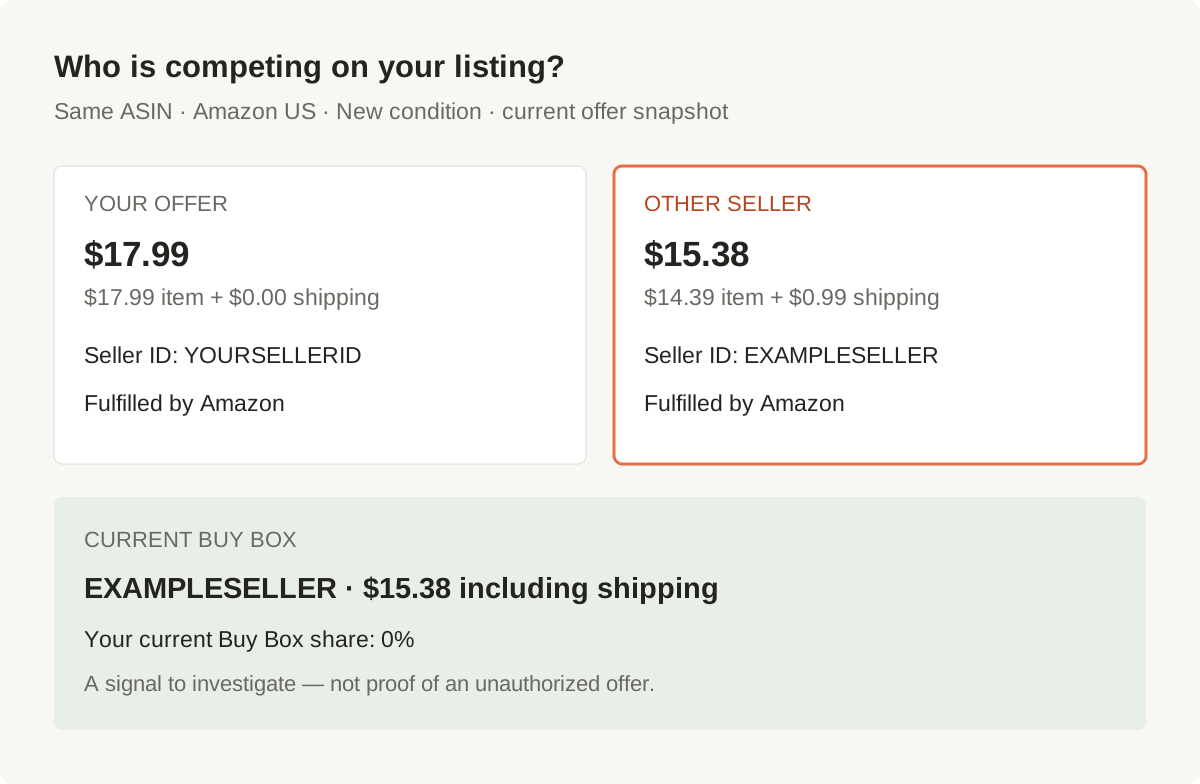
See a list of your products others are selling on.
Filter your spreadsheet for other sellers, then review their seller IDs and offers by ASIN and marketplace.
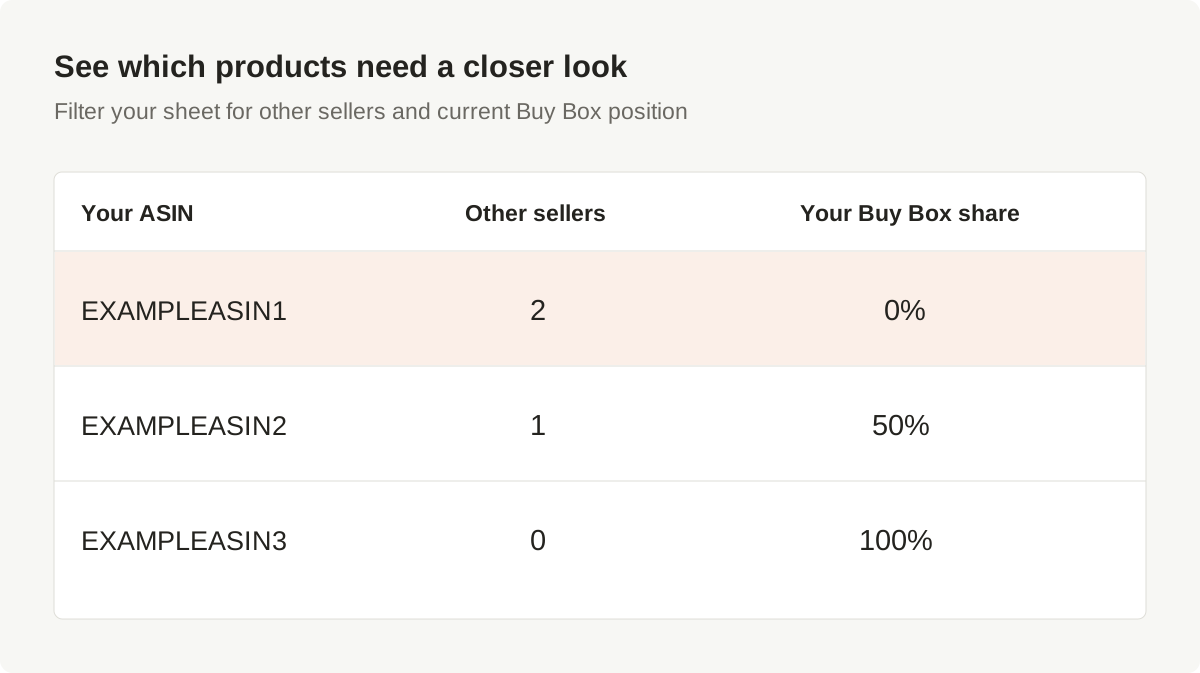
Know what to review next.
An unfamiliar seller or unexpected Buy Box winner gives you a place to start. Check the seller, inspect the specific offer, and gather evidence before reporting a suspected counterfeit or other violation.
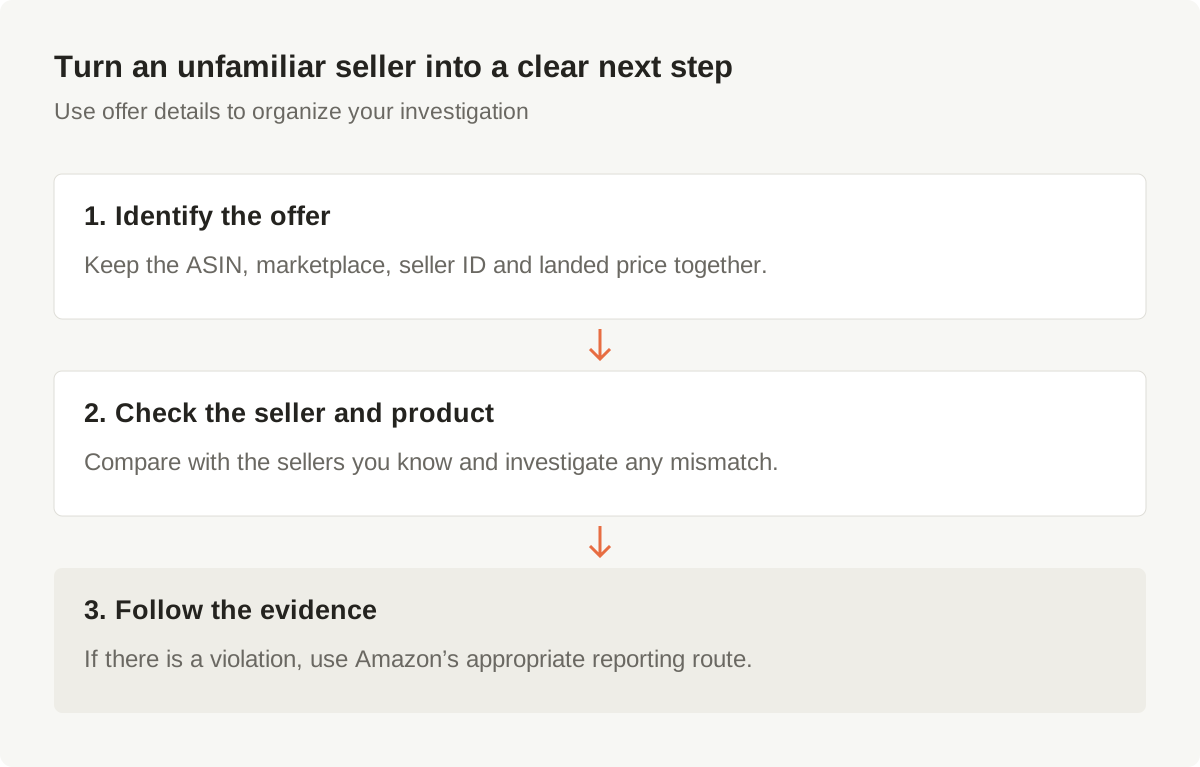
How it works.
Start with a ready-made spreadsheet. Build your brand-protection review around the offers Amazon returns.
1. Connect your Amazon accounts
Install Hopted, open a Google Sheet and connect the Seller Central accounts you want to review.
2. Open the ready-made monitor
Choose Competitor Offers & Buy Box Monitor in Hopted’s Pre-made solutions gallery.
3. Choose accounts and marketplaces
Select your listing data and the accounts and marketplaces to include. Keep identifiers beside every offer.
4. Review competing sellers
Filter for other sellers or a low current Buy Box share. Check the returned offers and landed prices together.
5. Investigate and act
Confirm the seller and product details in Amazon. If the evidence shows a violation, use the appropriate reporting route.
Boost your productivity with these features.
Keep the seller and pricing details your private label team needs in one place.
Current Buy Box winners
See the winning offers Amazon returns, with seller IDs and available offer details.
Your current Buy Box share
Find listings where your connected seller is absent from, or shares, the returned Buy Box snapshot.
Competing seller IDs
Identify other sellers in the returned offer sample and compare them with the sellers your team knows.
Products worth reviewing
Filter by ASIN and Other Sellers Count to build a focused review list.
Multiple Amazon accounts
Bring connected seller accounts into one spreadsheet, with account and marketplace identifiers.
Prices including shipping
Compare what a shopper pays, alongside condition and fulfillment details when returned.
24/7 monitoring, no per-ASIN fees
Track ASINs and listings across your catalog. Automatic offer, price and Buy Box updates run on your chosen refresh schedule.
A ready-made monitor
Use the Competitor Offers & Buy Box Monitor template instead of assembling the spreadsheet from scratch.
Filters that cut through the noise
Use ordinary Sheets filters, formulas and conditional formatting to focus your team’s review.
Top questions about hijacker monitoring
No. Several sellers can legitimately offer the same product on one Amazon detail page. An unfamiliar seller, lower price or Buy Box change is a reason to investigate, not proof of a counterfeit or unauthorized offer.
Competitive pricing data refreshes at most once per hour. Your sheet’s update timing also depends on the schedule available on your plan and Amazon’s data availability. Offers can change between refreshes.
No. Lowest Priced Offers is a sample of up to 20 New-condition consumer offers. Other Sellers Count describes that returned sample, excluding your connected seller; it is not the total seller count on the listing.
No. It describes your current share in the Buy Box snapshot returned by Amazon. Use Sales & Traffic reports to review historical Buy Box performance.
No. Use the spreadsheet to identify offers worth investigating. You review the evidence and choose any appropriate action in Amazon; the monitor does not establish a violation or remove a seller.
Check that your selected listing source has rows for the accounts and marketplaces you chose. Some fields can also be empty when Amazon does not return pricing data. An empty field is not proof that there are no other sellers.