Writebacks: Amazon bulk edits from Google Sheets
Writebacks: Amazon bulk edits from Google Sheets
25 jun 2026
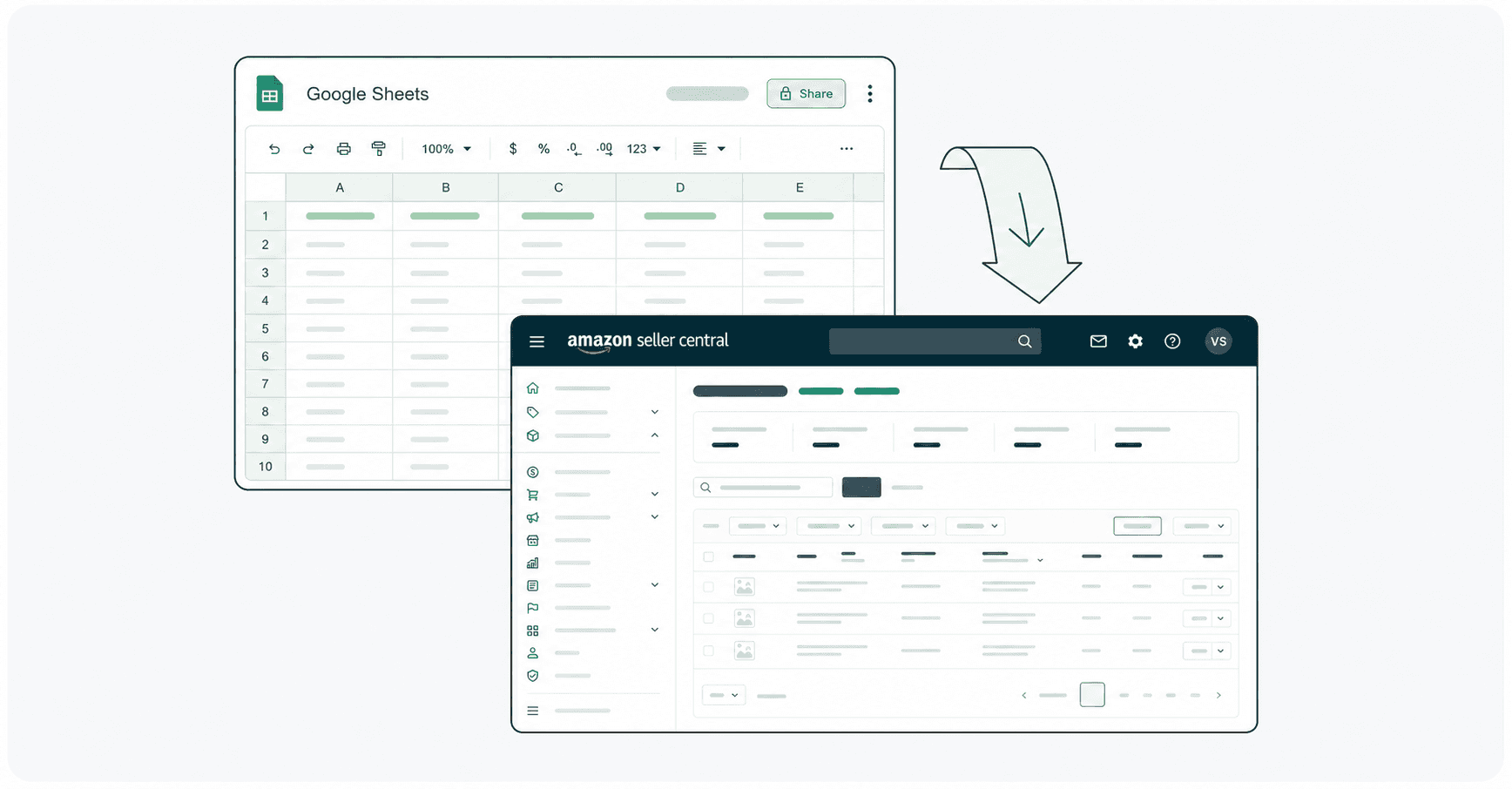
You can now bulk edit Amazon listings directly from Google Sheets using Hopted Writebacks.
Update a single ASIN or thousands of listings, then submit the approved values without dealing with flat file templates, manual uploads, cryptic error hunting or navigating Seller Central one listing at a time.
Edit only the fields you need
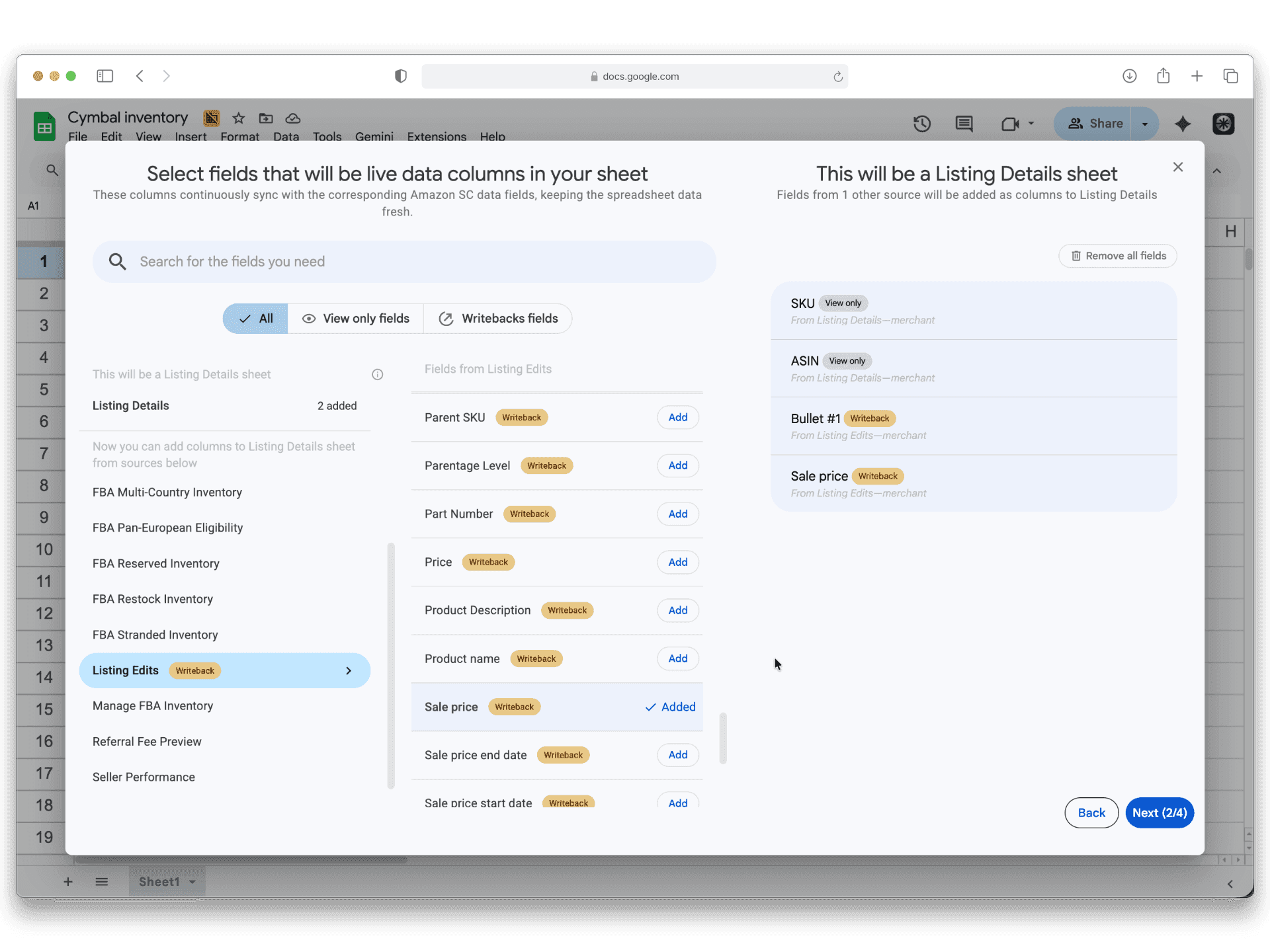
Select the specific attributes you want to modify. Hopted syncs only those relevant records into Google Sheets. This allows you to perform partial listing updates.
Editing a single bullet point updates only that specific field instead of resubmitting the entire listing. Unrelated catalog data remains untouched, minimizing the risk of accidentally removing or overwriting data during bulk operations.
You can currently update over 100 listing attributes with Writebacks, including
titles,
bullet points,
images,
descriptions,
backend search terms,
handling time,
prices,
parent-child variations, and more.
If an attribute you need is missing, contact us at support@hopted.com and we will add it.
Review every change
Before anything is sent to Amazon, the Writebacks panel in Google Sheets shows a before-and-after view of every proposed edit. Verify what changed, where it will be applied, and which account and marketplace will receive the update. When everything looks correct, submit the changes together with a single click.
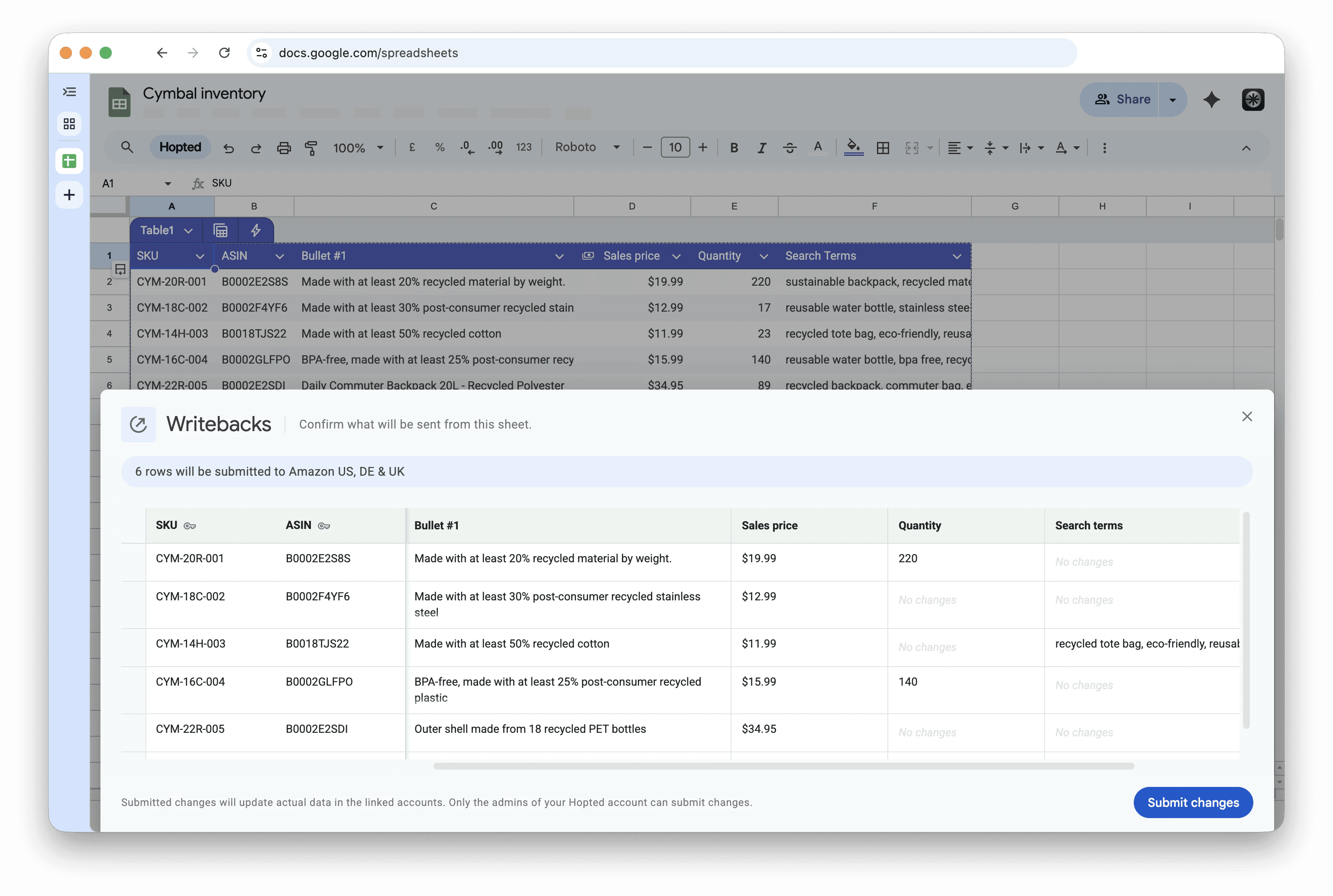
This turns bulk editing into a review flow rather than an upload-and-troubleshoot loop.
Team members can draft changes in Sheets while managers review, accept, or reject them, ensuring absolute control over what reaches Amazon.
Work across accounts and marketplaces
A single Google Sheet workbook can link to multiple Seller Central accounts across various marketplaces.
Hopted automatically routes each approved change to the correct destination, eliminating the need to repeat editing tasks for every Amazon account or marketplace.
This makes catalog maintenance, pricing rollouts, inventory corrections, suppressed-listing fixes, and variation repairs easier to execute at scale. For agencies, it creates a repeatable workflow for preparing, reviewing, and applying changes across client accounts.
Available now
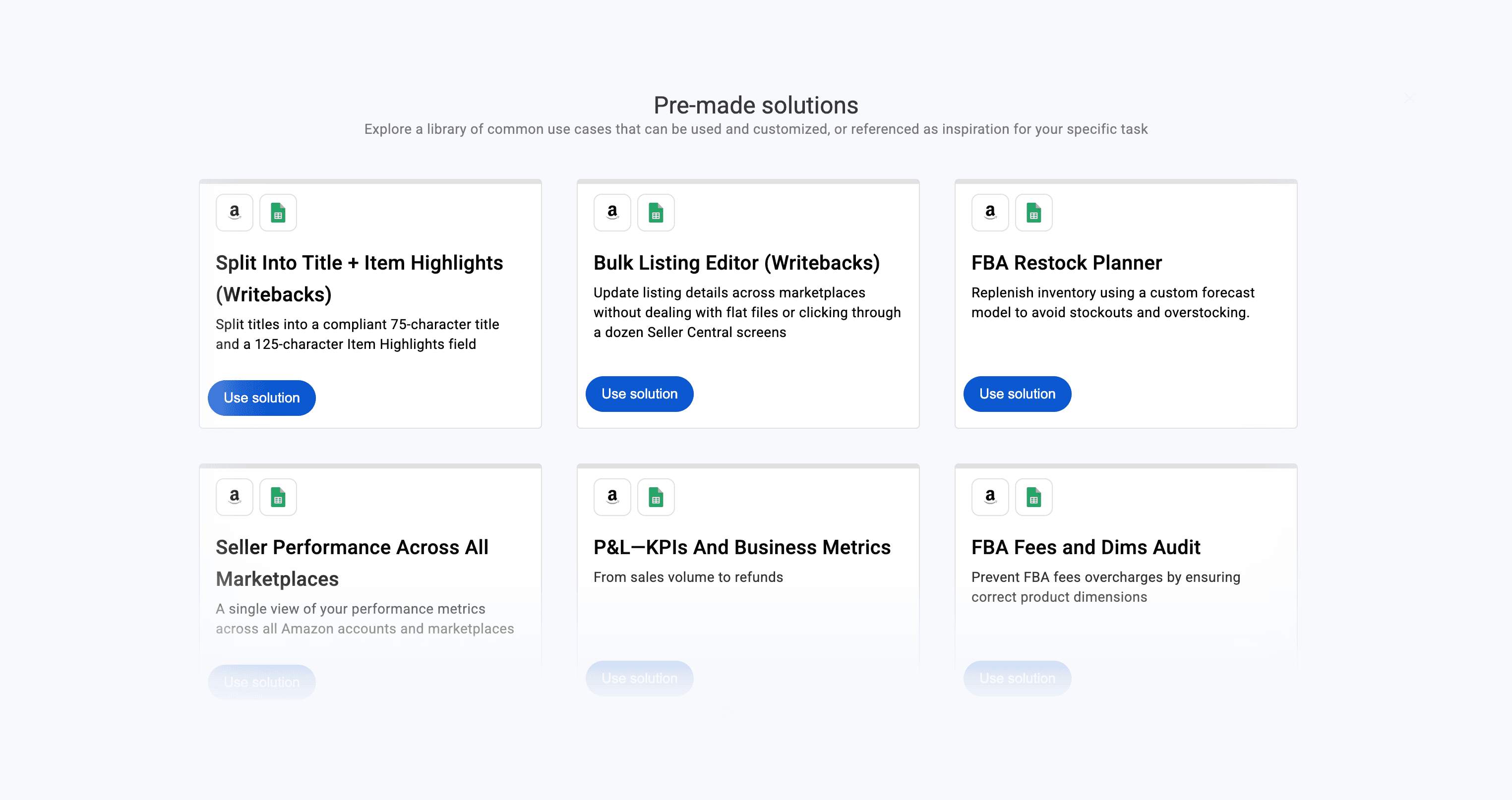
To get started, open the Hopted sidebar in Google Sheets and select Pre-made solutions. From the template gallery, click on Use solution for the Bulk Listing Editor (Writebacks).
You can now bulk edit Amazon listings directly from Google Sheets using Hopted Writebacks.
Update a single ASIN or thousands of listings, then submit the approved values without dealing with flat file templates, manual uploads, cryptic error hunting or navigating Seller Central one listing at a time.
Edit only the fields you need
Select the specific attributes you want to modify. Hopted syncs only those relevant records into Google Sheets. This allows you to perform partial listing updates.
Editing a single bullet point updates only that specific field instead of resubmitting the entire listing. Unrelated catalog data remains untouched, minimizing the risk of accidentally removing or overwriting data during bulk operations.
You can currently update over 100 listing attributes with Writebacks, including
titles,
bullet points,
images,
descriptions,
backend search terms,
handling time,
prices,
parent-child variations, and more.
If an attribute you need is missing, contact us at support@hopted.com and we will add it.
Review every change
Before anything is sent to Amazon, the Writebacks panel in Google Sheets shows a before-and-after view of every proposed edit. Verify what changed, where it will be applied, and which account and marketplace will receive the update. When everything looks correct, submit the changes together with a single click.
This turns bulk editing into a review flow rather than an upload-and-troubleshoot loop.
Team members can draft changes in Sheets while managers review, accept, or reject them, ensuring absolute control over what reaches Amazon.
Work across accounts and marketplaces
A single Google Sheet workbook can link to multiple Seller Central accounts across various marketplaces.
Hopted automatically routes each approved change to the correct destination, eliminating the need to repeat editing tasks for every Amazon account or marketplace.
This makes catalog maintenance, pricing rollouts, inventory corrections, suppressed-listing fixes, and variation repairs easier to execute at scale. For agencies, it creates a repeatable workflow for preparing, reviewing, and applying changes across client accounts.
Available now
To get started, open the Hopted sidebar in Google Sheets and select Pre-made solutions. From the template gallery, click on Use solution for the Bulk Listing Editor (Writebacks).